Improvement
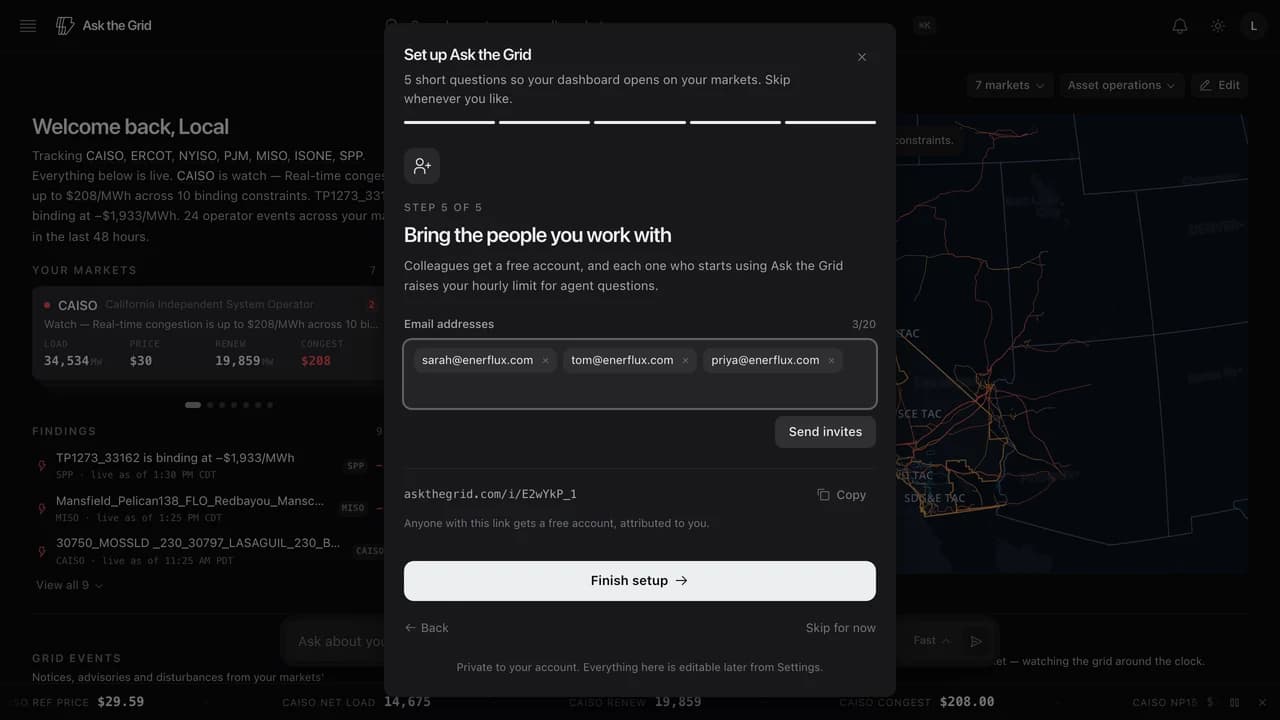
Invite your team by email
Setup now takes a list of email addresses and sends each person an invite, instead of leaving you to copy a link and paste it somewhere yourself.
#Onboarding#Invites#Account
Type or paste addresses separated by commas — each becomes a chip you can remove, up to twenty at a time — and everyone on the list gets an email with your invite link. Duplicates and your own address are dropped automatically, and one address that fails to send never stops the rest from going out.
It is the same invite link as before, just delivered for you: anyone who follows it still gets a free account attributed to you, and still raises your hourly limit for agent questions once they start using Ask the Grid. Copying the link by hand is still there for when you would rather share it in Slack.