Bring your own data
Connect the operational and market systems your team already runs, so the agent and map work over your data, not just public feeds.
Discuss a private workspace- Status
- Enterprise
- Access
- Enterprise
- Reading time
- 8 minutes
- Reviewed
- Sep 11, 2026
- Maintained by
- Enterprise
An Enterprise workspace places customer-authorized operational, spatial, and commercial data beside the public grid without turning either one into the other. Private telemetry and positions stay inside the team boundary; public prices, demand, weather, infrastructure, and operator publications retain their original source identity.
The resulting workspace uses the same map and agent as the public product while applying team access, single sign-on, deployment, and connector controls appropriate to the connected systems. Scope begins with the sources and decisions the team actually needs, not a generic data-lake migration.
Connect your systems
Ask the Grid reads public grid data out of the box. On the Enterprise plan it also connects to the systems your team already runs.
Operational historians
Bring real-time and historical tags from AVEVA PI, so your plant and asset telemetry sits alongside the live public grid.
GIS & asset systems
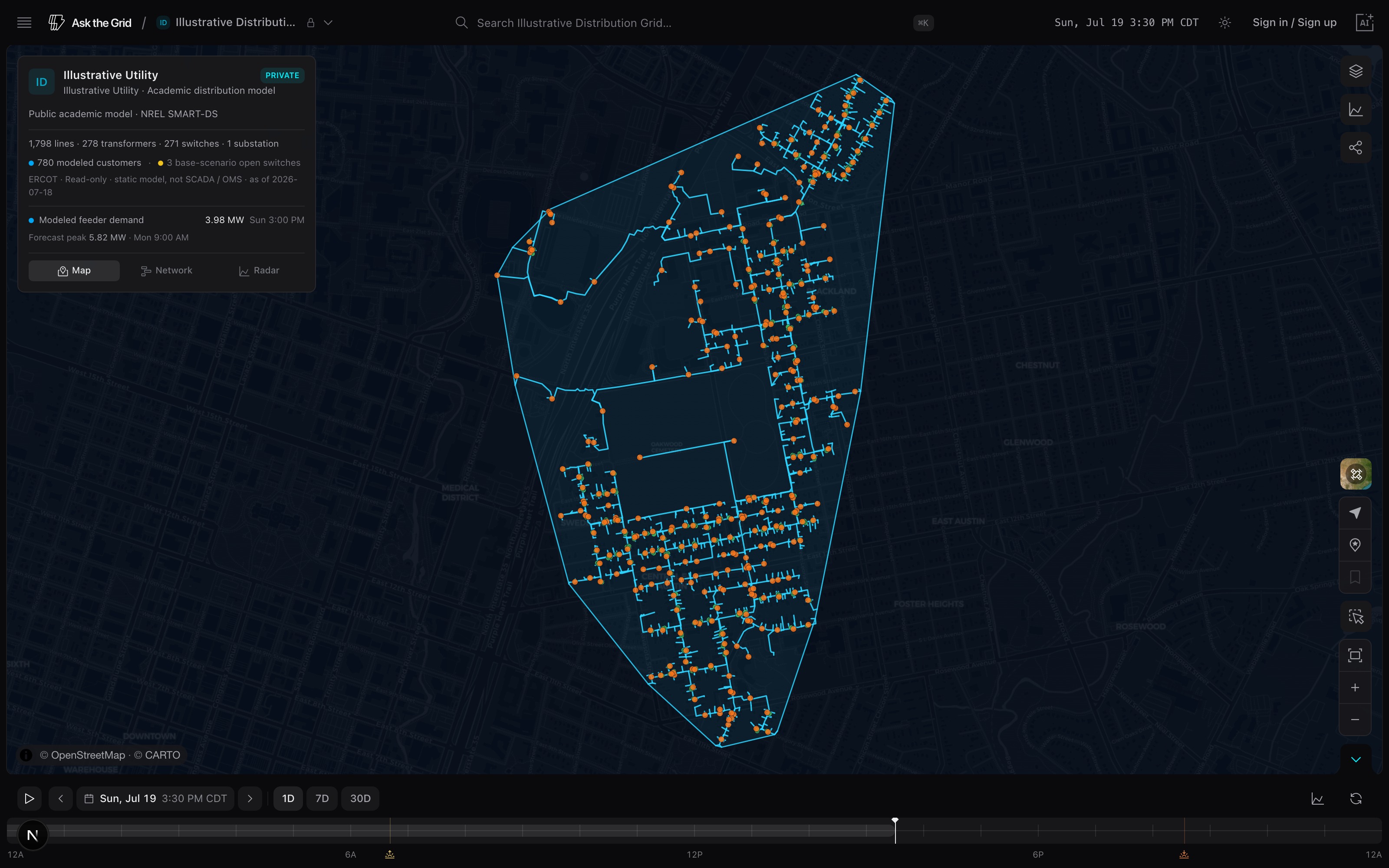
Bring your network and asset geography from Esri ArcGIS Utility Network. Your own lines, substations, and sites render as private map layers next to the public infrastructure.
Trading & risk (ETRM)
Connect your ETRM — ION, Allegro, Endur, or Openlink — so positions, deals, and curves live in the same view as prices, demand, and congestion.
What changes with your data
The agent reasons over your data
Ask about your assets, your positions, your sites in plain English. The agent answers from your connected data with the same live grid context it already has.
Your footprint on the map
Your sites and network appear as their own private layers, so you see where you sit in the grid instead of switching between tools. They are never shared and never public.
Private and public in one view
Blend your telemetry and positions with public prices, demand, weather, and transmission — one map, one agent, one place to look.
Getting connected
A connector is added for each source as your team comes on.
Tell us your sources
Start from the Upgrade page and tell us which systems you want connected. The workspace is scoped to your markets, assets, and decisions before any source is added.
- 1Open the Upgrade page and contact the team.
- 2Agree the market, the assets, and the decision, and where private data is processed and stored.
- 3Add sources one at a time — historian, GIS, ETRM, or another system — with credentials kept inside that boundary and an owner and rotation plan for each.
- 4Set identity-provider, role, and asset-access rules, along with retention and residency.
Private and secure
Enterprise runs as a private, single-tenant deployment with SAML SSO and a signed data-processing agreement. Your data stays yours.
Have a source that isn't listed here? Tell us — custom connectors are added per source as teams onboard.
Did this guide get you unstuck?
One click is enough. No message or account required.