Connect an AI client with MCP
Connect Microsoft 365 Copilot, ChatGPT, Claude, Cursor, Codex, or another compatible client to one authenticated power-market resource.
Open Ask the Grid MCP Server- Status
- Live
- Access
- Free account
- Reading time
- 16 minutes
- Updated
- Oct 18, 2026
Ask the Grid MCP exposes typed grid tools to compatible AI clients through OAuth 2.1 with PKCE. A market-specific resource fixes the ISO boundary in the connection itself; the global resource keeps one connection and requires an explicit market argument on every market-data call.
The default connection is read-only and source-aware: discover datasets, inspect schemas, query bounded tables, resolve physical assets, read live status, retrieve published profiles, and search the Energy Wire. Account mutations such as alert changes, asset hydration, Saved management, or connection revocation require separate scopes and an explicit user request.
On this page
Choose and connect a market
Ask the Grid provides a separate MCP resource for each supported grid so the market boundary is explicit before an agent calls a tool, plus a global resource that spans every market on one connection.
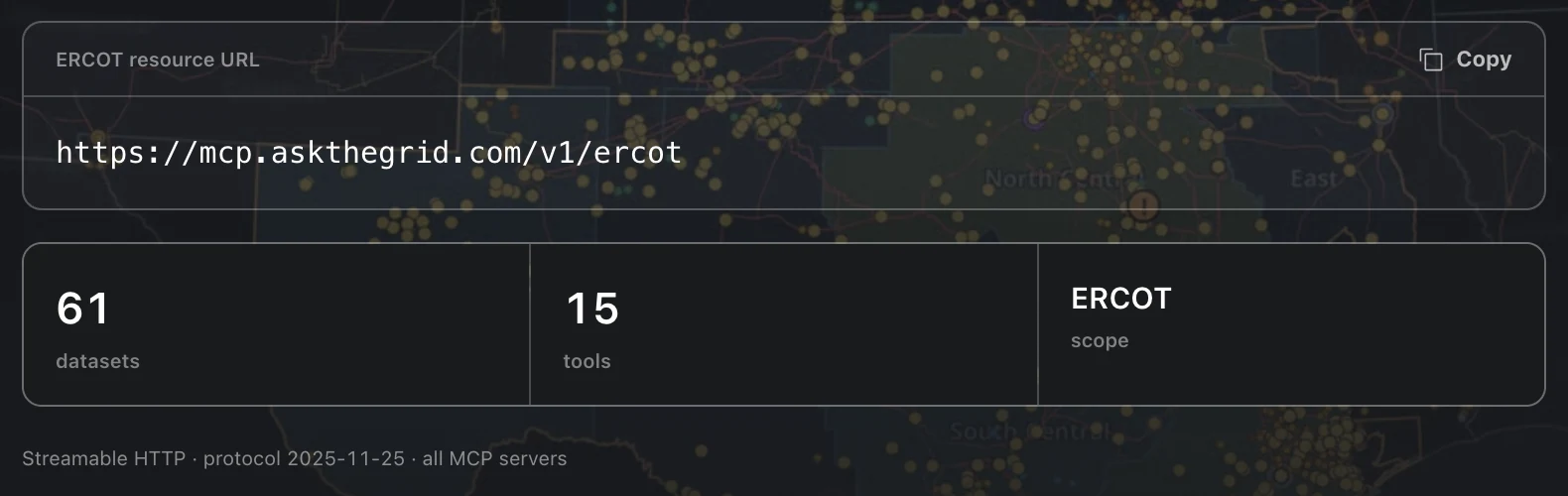
Use the endpoint for your grid
Connect to ERCOT, CAISO, NYISO, PJM, SPP, MISO, ISO-NE, or BPA. Copy a listed market's resource endpoint from MCP Servers; for Bonneville, use https://mcp.askthegrid.com/v1/bpat directly. Each connection covers exactly one market.
- 1Open MCP Servers and choose a listed market, or use the Bonneville endpoint above.
- 2Copy the resource endpoint for the market you need.
- 3Add the endpoint as a remote Streamable HTTP server in your client.
- 4Follow the browser prompt to sign in and approve the requested scopes. Alert and hydration writes are never included unless the client explicitly requests the matching write scope.
Connect more than one endpoint if your work spans multiple ISOs; each receives its own audience-bound authorization.
OAuth is handled by your client
Compatible clients discover Ask the Grid's authorization server automatically and use OAuth 2.1 with PKCE. Public clients connect without a secret; confidential clients receive a client secret when they register. You never paste an Ask the Grid password or long-lived API key into the client.
Connect from your client
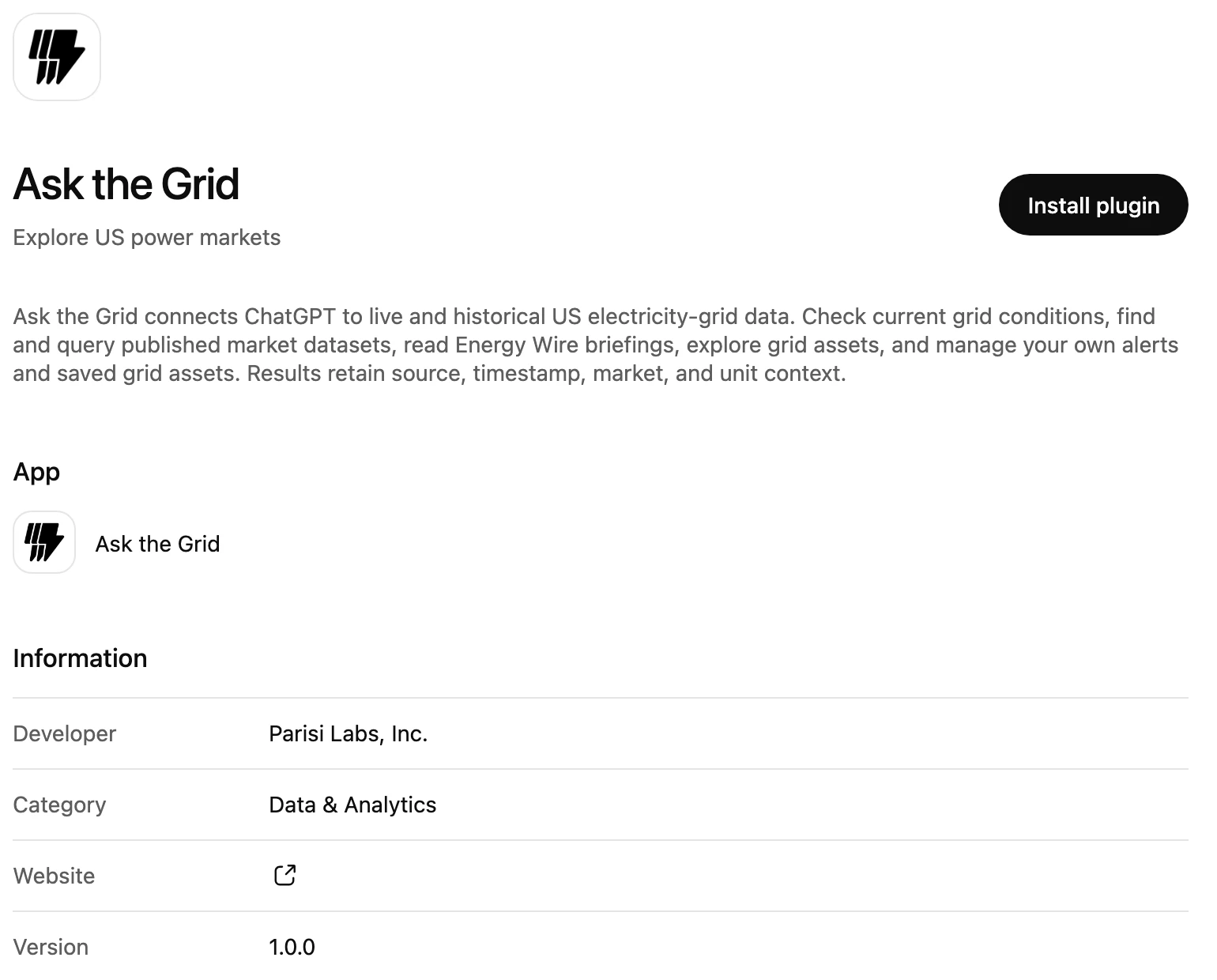
Install Ask the Grid from ChatGPT's plugin directory, or use the published agent for Microsoft 365 Copilot. Other clients connect with a market resource URL, or the global endpoint for several markets.
Claude
Add Ask the Grid as a custom web connector and sign in with your account. On Team and Enterprise, the connector is added for the organization first; members then connect individually.
- 1Open Customize → Connectors and add a custom web connector.
- 2Name it, paste the market's resource URL, and review the detected OAuth settings. Choose automatic client registration if Claude asks how to identify its OAuth client.
- 3Add the connector, sign in to Ask the Grid, and approve the requested scopes.
- 4In a conversation, open + → Connectors and enable Ask the Grid.
Claude Free allows one custom connector. Use Ask the Grid's global endpoint when that connection needs several markets.
ChatGPT
Ask the Grid is in ChatGPT's plugin directory, so there is no URL to paste. Your workspace's plugin permissions and security settings control access.
- 1Open ChatGPT's Plugins page and search for Ask the Grid.
- 2Select Ask the Grid and install it.
- 3Connect with Ask the Grid, sign in, and approve the requested scopes.
- 4Select the plugin in a new chat and ask a grid question.
If your workspace restricts directory plugins, or you want a connection fixed to one market, use + on the Plugins page to add a custom MCP server instead: paste the market's server URL and choose OAuth authentication.
Microsoft 365 Copilot
Open the published Ask the Grid agent in Microsoft 365 Copilot and add it to your agents. Choose Connect to Ask the Grid when prompted, then sign in and review the read-only permissions. It uses one global connection; name the market in your question. It can read grid data and sources, but cannot create alerts, change Saved items, or make other account changes.
- 1In Microsoft 365 Copilot, open Agents and add Ask the Grid.
- 2Ask a grid question, choose Connect to Ask the Grid if prompted, and complete sign-in.
- 3Name the market and time window, then check the answer’s sources and observation times.
Cursor
Register the resource as a remote Streamable HTTP server in Cursor's MCP configuration.
- 1Edit ~/.cursor/mcp.json for a global connection, or .cursor/mcp.json for a project connection.
- 2Add a named entry under mcpServers with url set to the market's resource URL.
- 3Save the configuration and select Connect or Authenticate when Cursor prompts.
- 4Complete Ask the Grid authorization, then confirm the server's tools are enabled.
Codex
Add the remote server once; the Codex app, CLI, and IDE extension share the MCP configuration.
- 1Run codex mcp add with a server name and --url set to the market's resource URL.
- 2Run codex mcp login with the same name and complete the Ask the Grid sign-in.
- 3Run codex mcp list to confirm the server. In the Codex CLI, /mcp shows active servers.
Global
Need one connection that spans every market instead of one per ISO?
One connection, every market
Use the global server when one conversation needs several markets. Its market-data tools take an explicit iso argument: ERCOT, CAISO, NYISO, PJM, SPP, MISO, ISONE, BPAT. Use ISONE for ISO New England and BPAT for Bonneville; the display labels ISO-NE and BPA are not accepted argument values.
- 1Open MCP Servers and use the global server's endpoint instead of a per-ISO one.
- 2Pass iso on every search_data, describe_data, query_data, query_grid_assets, get_live_grid_status, get_congestion_path, get_asset_profile, get_asset_intelligence, request_asset_hydration, and get_alert_capabilities call.
- 3The global connection covers ERCOT, CAISO, NYISO, PJM, SPP, MISO, ISO-NE, and BPA; any other market value is rejected.
Manage your own connections
The global server adds list_grants and revoke_grant for your MCP authorizations, plus list_saved and manage_saved for your saved assets, map views, stories, and portfolios. The two list tools work on the default global authorization; revoke_grant needs mcp:account.write and manage_saved needs mcp:saved.write. You can also review and revoke every client, scope, and market from Settings → Connections.
Work in an organization
Alerts, saved items, and projects belong to an organization, and a connection starts in your Personal one whichever workspace you have open in the browser. list_alerts, list_saved, and list_projects each return the organizations you belong to. Pass one of those ids as organizationId to list or create there; an organization you are not a member of is refused. A tool that takes an alert or project id reaches it in any organization you still belong to.
Available tools
Discover before querying
search_data finds query-ready datasets for the connected ISO. describe_data returns a dataset's schema, time semantics, measures, relationships, and required scope predicates.
Read interconnection queues from one snapshot
Generation-interconnection queues are available across ERCOT, CAISO, NYISO, PJM, SPP, MISO, ISO-NE, and BPA. Search for “interconnection queue,” describe the selected dataset, then select its latest snapshot before ranking requested MW or filtering project status. BPA also has a separate load and line queue. Requested capacity is a proposal, not an operating asset or an approval.
Compare curtailment on its published measurement basis
For CAISO renewable curtailment, discover caiso_curtailment from the Daily Renewable Report. Sum published hourly MWh for complete reporting days; the companion MW field is the hourly maximum and must not be integrated as average power. Its timestamps preserve the report's chart-hour labels, so daily report comparisons do not imply a verified UTC price-interval join. SPP keeps renewable-curtailment categories, balancing areas and report units separate. ERCOT renewable-generation series support estimated COP-HSL/output-gap screening; the 60-day SCED disclosures support historical unit analysis. Neither forecast misses nor offline headroom establish published curtailed energy. Describe the chosen dataset before calculating, and keep missing observations separate from explicit zeroes.
Run bounded read-only queries
query_data accepts read-only ClickHouse SQL against catalog-registered tables. Queries are table-allowlisted, ISO-validated, limited to 30 seconds, and capped at 200 returned rows. If a query times out, narrow its time range and locations before retrying. For ERCOT settlement-point history, use the canonical ERCOT Real-Time Prices dataset; use the native LMP feed for recent live intervals. A syntax error includes guidance for correcting the query.
Resolve the physical grid
query_grid_assets searches plants, nodes, zones, substations, and transmission lines. get_live_grid_status returns current headline values and freshness metadata for the connected ISO. get_congestion_path measures a source→sink pair — the constraints that move its basis, the week ahead, and a hedge / instrument / ignore call at a stated size — in ERCOT and PJM. Use the typed settlement identifier returned by search. Set fromHour and toHour in the market’s local clock for the trading window; Both endpoint hours are included: 18–20 covers 6:00–8:59 p.m., and a start later than the end selects an overnight window. Omitted hours include the full day.
Keep SPP identities and gaps explicit
SPP MCP catalog coverage includes prices, load, fuel mix, forecasts, reserves, constraints, interchange, published DC-tie flow, the interconnection queue, and ISO-scoped grid assets. SPP East, SWPW/SPP West, balancing-area, reserve-zone, and market labels remain separate. The MCP catalog does not expose an SPP operational-event feed. Some public location records have no verified coordinates. query_grid_assets returns only published identities and never invents coordinates, ownership, settlement exposure, or a relationship between market identities.
Read the Energy Wire
search_wire searches collected US grid, market, and regulatory news across roughly 225 publishers, ISO newsrooms, utilities, and regulators — newest first, optionally scoped to one market or sector. get_wire_briefings returns the operator briefings written over closed windows, each stating the knowledge cutoff it was written against and citing the publishers behind it. Both are on the global server only, since most wire stories are national rather than market-scoped, and both return the publisher's canonical URL for every story — cite that rather than Ask the Grid. Article bodies are never stored and never returned.
Work with hydrated asset intelligence
get_asset_profile returns a compact published summary. The global server advertises Enterprise asset tools only when your account or an organization you belong to has the required access. Authorize asset-hydration permission to discover the request and status workflow. Use the request id returned by request_asset_hydration when checking get_asset_hydration_status; an asset id is a different identifier. Hydration only accepts an exact existing asset from query_grid_assets.
Read and manage alerts
get_alert_capabilities returns the executable market, target, signal, and condition combinations in the shared capability registry, with filters that keep the response focused. A market accepted by an input enum is not executable for every target or signal: NYISO, for example, supports event alerts but no value alerts. list_alerts filters rules by lifecycle status; get_alert returns one owned rule and its recent evidence history, including archived rules. create_alert saves only a registry-backed rule. manage_alert pauses, resumes, updates, or archives one rule; archive_alert remains as a compatibility alias for its archive action. Per-ISO connections can only reach alerts in that market; the global connection can act only on combinations returned by get_alert_capabilities.
- 1Call get_alert_capabilities when the requested target, metric, or comparison type may not be supported.
- 2Resolve exact asset and price-node references with query_grid_assets, then copy the returned id unchanged. For example, LZ_AEN resolves to node:LZ_AEN; its LZ_ name does not make the MCP target zone:LZ_AEN.
- 3Ask the client to list your alerts before changing one whose exact id is not already known.
- 4Explicitly ask to create an alert and describe the market, target, metric, direction, and threshold.
- 5Review any warning that the threshold is unusually common, rare, or backwards for the stated goal.
- 6Explicitly ask to pause, resume, update, or archive the chosen alert. Pausing is reversible; archiving removes it from evaluation.
Existing MCP connections must reconnect and approve mcp:alerts.write before they can create or manage alerts. mcp:alerts.read is included in the default read-only scope set.
Investigate a project from your AI client
Projects tools are hidden by default. They appear in the global server’s tool list only when your account has Projects access and you explicitly authorize the corresponding project scopes for that connection. Read and write permissions are separate.
Find the project and its evidence
With mcp:projects.read, use list_projects to find projects you can open, then list_project_files to check document-reading status. read_project_file and search_project return source passages; get_project_file reports a file’s state and retained studies, and list_project_findings returns its findings. A project’s membership, file restrictions and agent-reading permissions continue to govern what the client can read.
- 1Use the global MCP endpoint and authorize the project-read scope.
- 2List your projects; use organizationId when the work belongs to a team.
- 3List the files and check that reading has finished before searching or asking for passages.
- 4Keep the passage locator, source date and project identity with any conclusion.
Add evidence deliberately
create_project, add_project_file and set_project_poi require mcp:projects.write and the appropriate project permissions. Ask explicitly to create a project, upload a file or change its connection point. add_project_file accepts text or a base64 file up to 20 MiB; larger files use the Projects API’s multipart upload. Uploading queues document reading, so inspect its status before using the new evidence. Reconnect with the additional scope when an existing client has read-only access.
Screen a planning case
study_project_network screens a change at a case bus; screen_project_network compares candidate buses. Use identifiers from the uploaded planning case and retain its source, MW, direction, balancing choice, rating basis and outage selection with the result. These are lossless DC screens, and their scope differs from a full AC study or an interconnection approval. Project and file permissions still apply.
Safe alert behavior
MCP alert writes are deliberate account changes, so the client must distinguish a request for information from permission to create or manage a rule.
Explicit requests only
A question such as “What is the Houston price?” or “How is ERCOT doing?” is not permission to create an alert. The client should call create_alert only after you explicitly ask for an alert, notification, warning, watch, or monitor. Management intent is action-specific too: asking to pause does not authorize archiving, and asking to inspect does not authorize an update. The server requires the exact user request and rejects implicit or mismatched actions.
Check the threshold against recent data
Before creating or updating a value alert, the client should inspect recent market data and compare the proposed threshold with the signal's normal range. If the rule would be almost always true, almost never true, or point in the wrong direction for the stated goal, it should explain the mismatch and ask you to confirm or revise it rather than silently changing the number.
Know what an average comparison means
A moving-average alert compares the latest observation with the trailing window you choose, such as the previous 24 hours. It does not compare one clock interval with that same interval across prior days. For ERCOT grid price, the evaluator uses the HB_HUBAVG historical series; node-specific price alerts use the exact node returned by query_grid_assets.
Alerts are state transitions, not polling
Ask the Grid evaluates supported sources on their real cadence and notifies when a rule changes state. It does not send one message for every matching sample. Per-second and sub-minute alert requests are rejected; use a meaningful threshold, confirmation window, recovery rule, and rolling delivery cap instead.
Access and safety
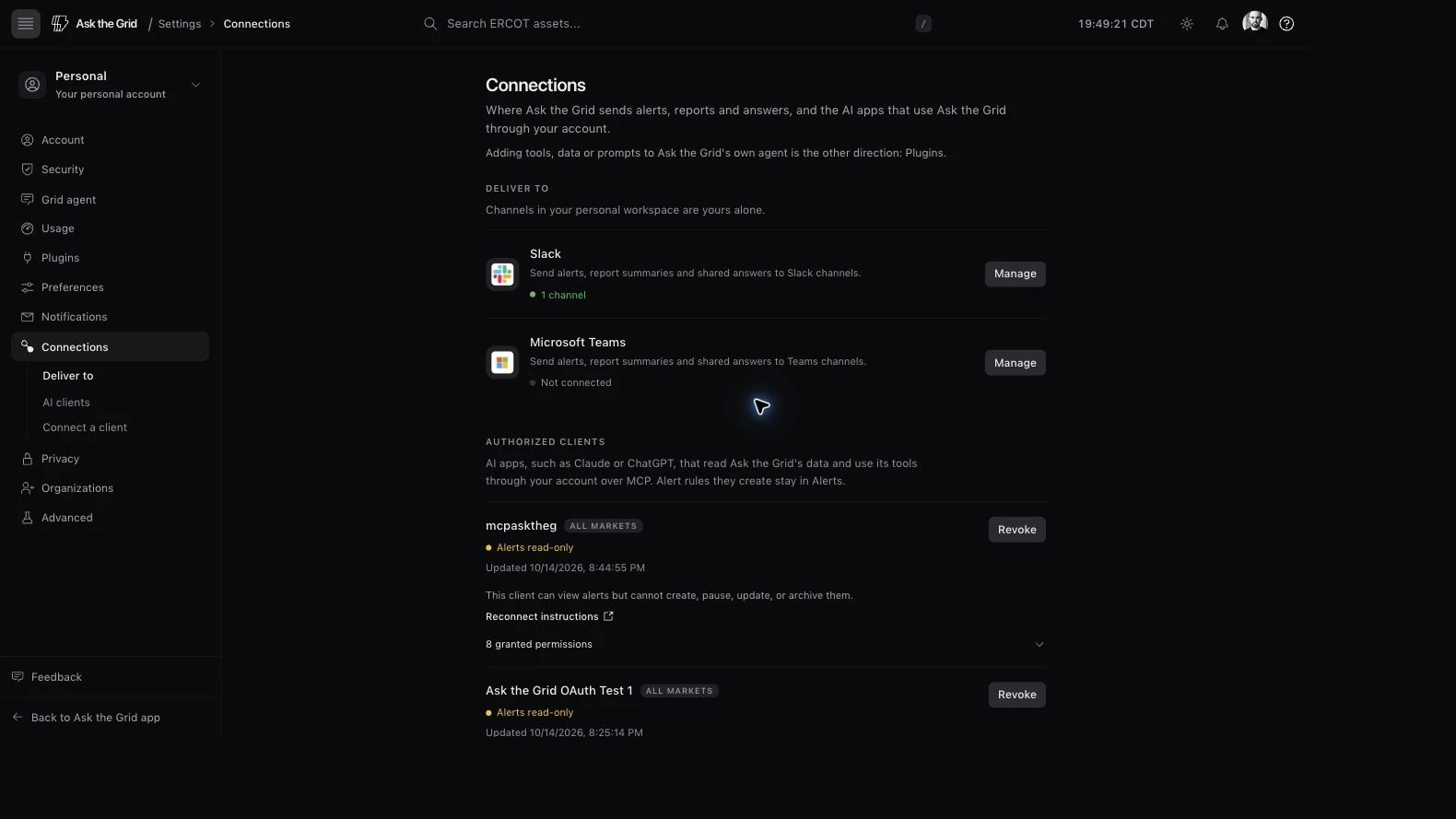
Signed-in, scoped, and revocable
MCP access requires an Ask the Grid account. Access tokens are short-lived and audience-bound to one resource — a single market, or every market for the global server; refresh tokens rotate on every use. Open Settings → Connections → AI clients to inspect each client’s market and granted permissions, including whether alert writes are enabled. Revoke ends that client’s authorization; it does not delete alerts the client previously created. You can revoke an approved client at any time, or ask the global server's revoke_grant tool to do it.
Read and write scopes stay separate
Market, catalog, SQL, profile, hydration-status, alert-list, status, and Energy Wire tools are read-only. Asset hydration uses mcp:assets.write; alert changes use mcp:alerts.write; saved-workspace reads and writes use mcp:saved.read and mcp:saved.write; connection management uses mcp:account.read and mcp:account.write; projects use mcp:projects.read and mcp:projects.write; the wire uses mcp:wire.read. No write scope is included in the default read-only authorization. Writes are ownership-scoped, rate-limited, and recorded in the MCP audit trail.
Did this guide get you unstuck?
One click is enough. No message or account required.