See it. Understand it. Get ahead of it.
The live map shows what is happening, the agent explains why with its sources, and Radar, forecasts and alerts tell you what comes next, across 25 North American grids.
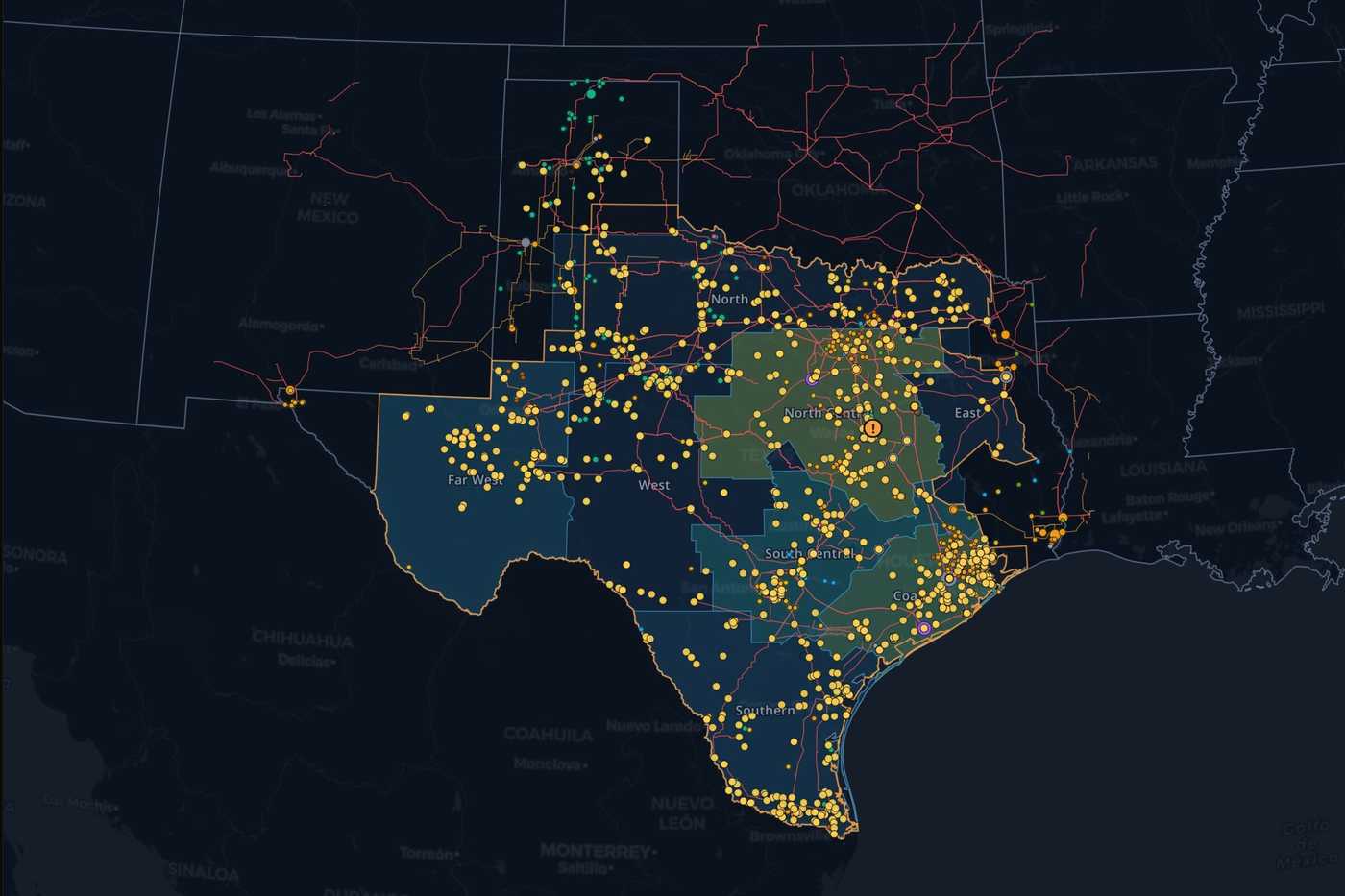
See the grid on one map
Prices, transmission, outages, plants and weather share one map, 15 layers in all. When two nodes price apart, you can usually see why.
- Click before you ask
- Select a plant or a line and the agent answers about that one.
- Shade nodes by what you need
- Price, spread to the hub, or day-ahead basis.
- Scrub through time
- Play back history where the source keeps it, and run forward into forecasts where they exist.
Every asset, every dataset
Every plant, substation, node and line has a page with its market around it. Underneath is a catalog of 595 datasets, and each one says where it came from and how often it updates.
- How a plant actually runs
- Monthly EIA generation and disclosed dispatch, next to the unit records.
- Honest clocks
- A five-minute price and an annual capacity filing are labelled for what they are.
- Missing data stays missing
- If a feed is down or a match is unconfirmed, the page says so.
Data from the source. Every dataset names the publisher it came from.
 ERCOT50 datasets
 CAISO46 datasets
 PJM40 datasets
 MISO57 datasets
 NYISO51 datasets
 ISO-NE83 datasets
 SPP59 datasets
 EIA41 datasets
 FERC6 datasets
 NOAA5 datasets
 BPA13 datasets
 USGS2 datasets
Also Southern Company, ODIN, NYSERDA IEDR, HIFLD, Open-Meteo, BCA, AESO, IESO, CENACE, USACE, NOAA CPC, NWRFC, NRCS, ECCC, NIFC, TVA, NRC, FRED, OpenStreetMap, CONAGUA, CNE, HQ, PG&E, NREL ATB and CPUC.
Browse the catalogAsk why, and see the sources
Type the question the way you'd ask a colleague. The agent finds the datasets, runs the query against live ISO data, and points the map at what it found.
- Every answer cites its data
- You see which dataset it read, when, and how the number was worked out.
- No schema to learn
- Name a plant, a constraint or a date. Picking the tables is the agent's job.
- Follow-ups keep their context
- Ask “what about yesterday?” and it knows which node and market you meant.
Get ahead of it with Radar and alerts
Radar puts a market's load, generation, prices, weather and outages on one board. Alerts keep watching the numbers you care about after you close the tab.
- Spot the interval it turned
- Forecast and actual sit side by side, so the five minutes where things broke stand out.
- Notices where they happened
- ISO notices land on the map next to the prices they moved.
- Rules in plain terms
- Real-time price at a node over $100. Congestion on a path. Load above forecast in a zone.
Reports, written for you
Pick the markets and assets you follow. The report arrives on your schedule, or when you ask for one, written from the same data the agent reads.
- About the places you follow
- Your nodes and your plants get the space, instead of a generic market wrap.
- Sourced like an answer
- Every figure carries its dataset and time.
What stays yours
Anyone can read an asset page or browse the catalog. What you save is different. Watched assets, portfolios, projects, alert rules and reports belong to your account, and only your team sees them.
- Share with your team
- Invite colleagues into your organization's workspace.
- Add your own data
- Private grid workspaces bring in telemetry, topology and positions, kept labelled apart from public sources.
Build on the same data
The live data, the catalog and the forecasts the product draws, in your own code and agents.
- API
- Every catalog dataset and the live feeds the product uses, with a typed request and response.
- MCP
- Give your own agent the grid as tools, with the source attached to every answer.
- Data services
- Years of history, delivered to your warehouse on a schedule.