Developer platform
Explore the Network Solver, Forecast, Data, Insights, Chat, and Alerts APIs, the Metis 1 Preview model page, generated reference, API keys, usage, request history, and copyable code.
Open the developer console- Status
- Limited preview
- Access
- Signed-in console · API keys by application
- Reading time
- 11 minutes
- Updated
- Oct 8, 2026
The developer console exposes the same source-aware grid systems used by the product through explicit API families. Forecast returns probabilistic Metis 1 Preview price paths, Data reads the public dataset catalog and the live grid routes the product draws from, Insights returns Radar findings with their evidence and episode history, Chat runs the grid agent, and Alerts creates and manages alert rules and their delivery destinations. Every signed-in account can use the console, the model page, the reference, and the playgrounds. The console overview shows your API access, the last seven days of requests, and connected MCP apps. Choose an integration example to copy a request in your language or open its playground.
A playground request uses the signed-in browser session and renders the response in the form that best explains it: chart, table, streamed answer, or raw JSON. API keys are bearer credentials for calling the service from another system, and they are issued by application separately from access to the console itself.
On this page
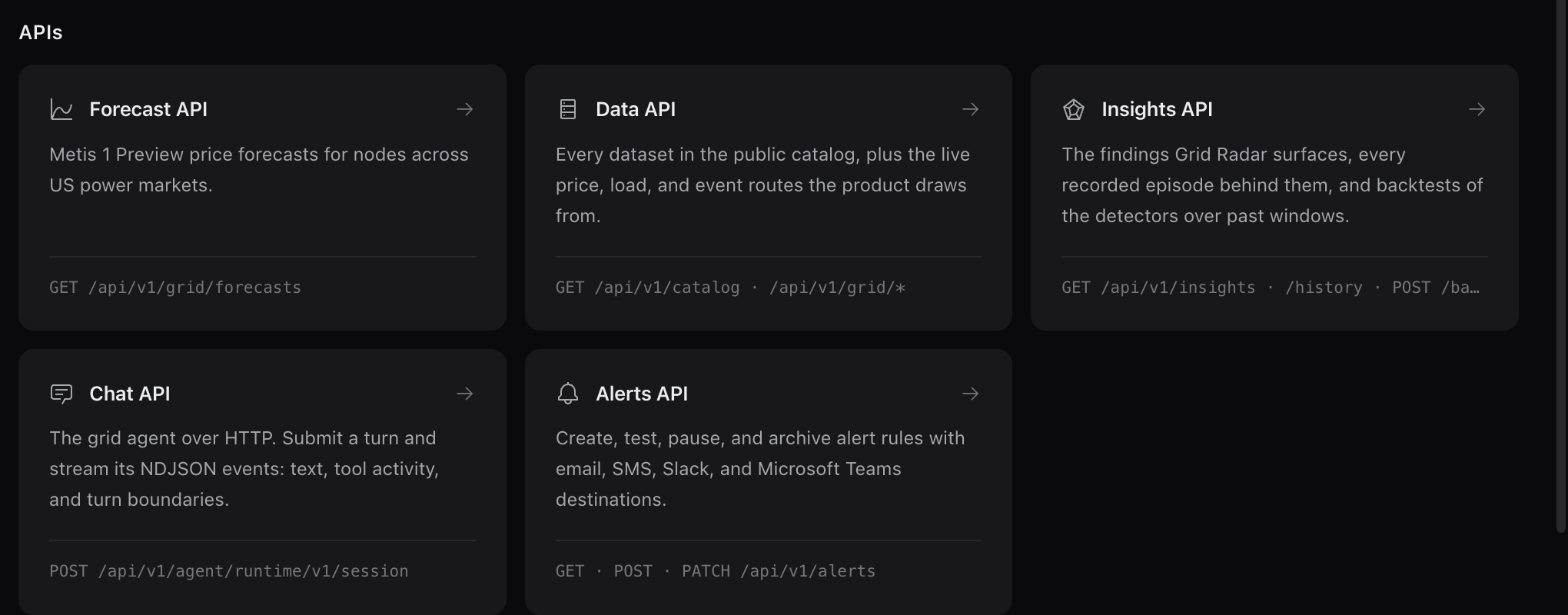
Choose the API for the job
Network Solver
Import a PSS/E RAW or RAWX case in Network Solver, then inspect the imported buses, branches, source hash and model assumptions. Enter scenarios with load changes or positive generation and negative demand injections, and use branch IDs from the equipment table for single-branch contingencies. Run study returns a study ID immediately; the console follows progress and preserves results alongside the exact model hash and inputs. Read Results for loading and voltage findings, JSON for the full response, and Code for an API-key example. Cancellation stops the study coordinator; dispatched scenario batches may finish independently. Ratings use Rate A, equipment controls stay fixed, and the swing bus balances changes.
Forecast API
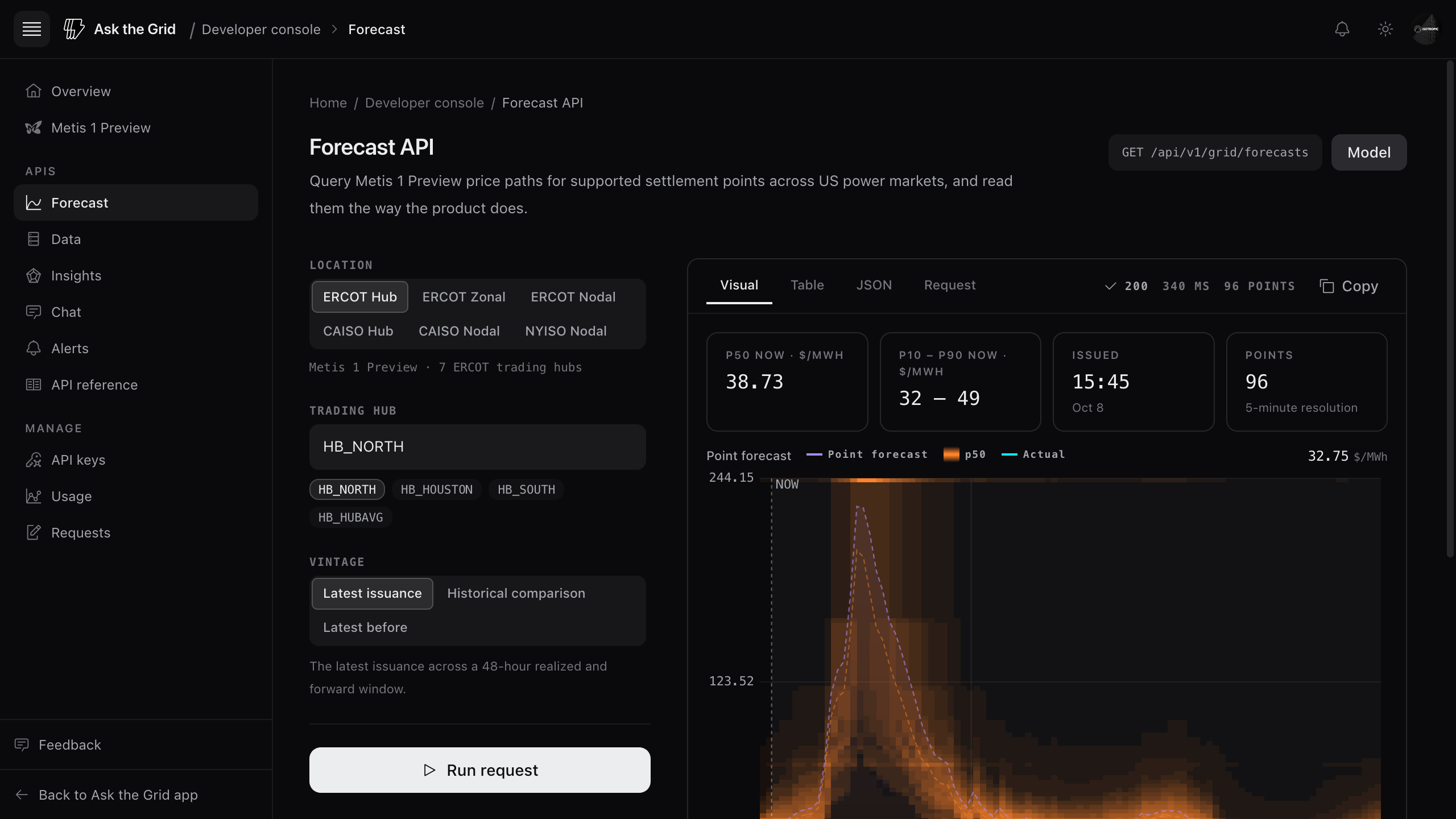
Request a resource node, load zone, or trading hub in a US power market to receive a probabilistic forecast path with quantiles and model metadata. An API key reads the forecast locations granted to its owner in the key’s organization. API approval permits credentials; it does not grant every forecast node. A playground run uses your session, so it includes the open locations and any individually or organizationally granted nodes, and returns restricted, with no values, elsewhere. The Metis 1 Preview model card documents purpose, inputs, outputs, coverage, intended use, limitations, and the current serving provenance. Open its playground link when you want to make a request.
Data API
Browse every dataset in the public catalog and call the live grid routes the product itself draws from, such as live grid stats, the latest nodal LMP, and grid search. Use the catalog contract to preserve market scope, time semantics, units, and table lineage.
Insights API
Read the findings Grid Radar surfaces for any market, each with its evidence, methodology, materiality, and the episode it belongs to. History returns every recorded episode in a window with its transitions, and a backtest either summarizes what was recorded or replays the current detectors over a past window using only what was knowable at each step. Every backtest you run is saved and can be fetched again. Add model=true to Current or History to include findings built on the Metis 1 Preview forecast, at the locations your account is shown the model; backtests include those detectors only where every location is.
Chat API
Submit a turn to the grid agent and read its NDJSON event stream: text deltas, tool activity, and turn boundaries. Every turn names its market in a required header, so keep the active market explicit rather than asking a downstream client to infer it from the prompt.
Alerts API
Create, inspect, pause, test, and archive alert rules, and manage their email, SMS, Slack, and Microsoft Teams destinations. The console's Alerts page carries request examples; the Alerts guide explains conditions, destinations, and delivery caps.
Use the interactive playgrounds
Make a request before writing code
Choose a product or endpoint, fill the request form, and run it with the signed-in session. The Forecast playground runs its first request when it opens. Inspect the returned status, timing, and body: the chart or table sits beside the raw JSON so the presentation never replaces the contract.
Choose the right Insights history mode
In Insights API, choose Current for open findings, History for recorded episodes and their transitions, or Backtest for a window summary. Recorded summarizes what the store retained. Replay re-runs the current detectors on what was knowable at each past step; it does not claim those findings were issued at the time. Choose the market, window, and replay step before Run request, then keep the mode and evaluation window with the result.
Copy the request in your language
The code next to the request form follows it in cURL, Python, JavaScript, or PHP, and after a run it carries the exact window that ran. Every example authenticates with an approved API key, the way code you operate calls the service.
Read the generated reference
Check the contract at integration time
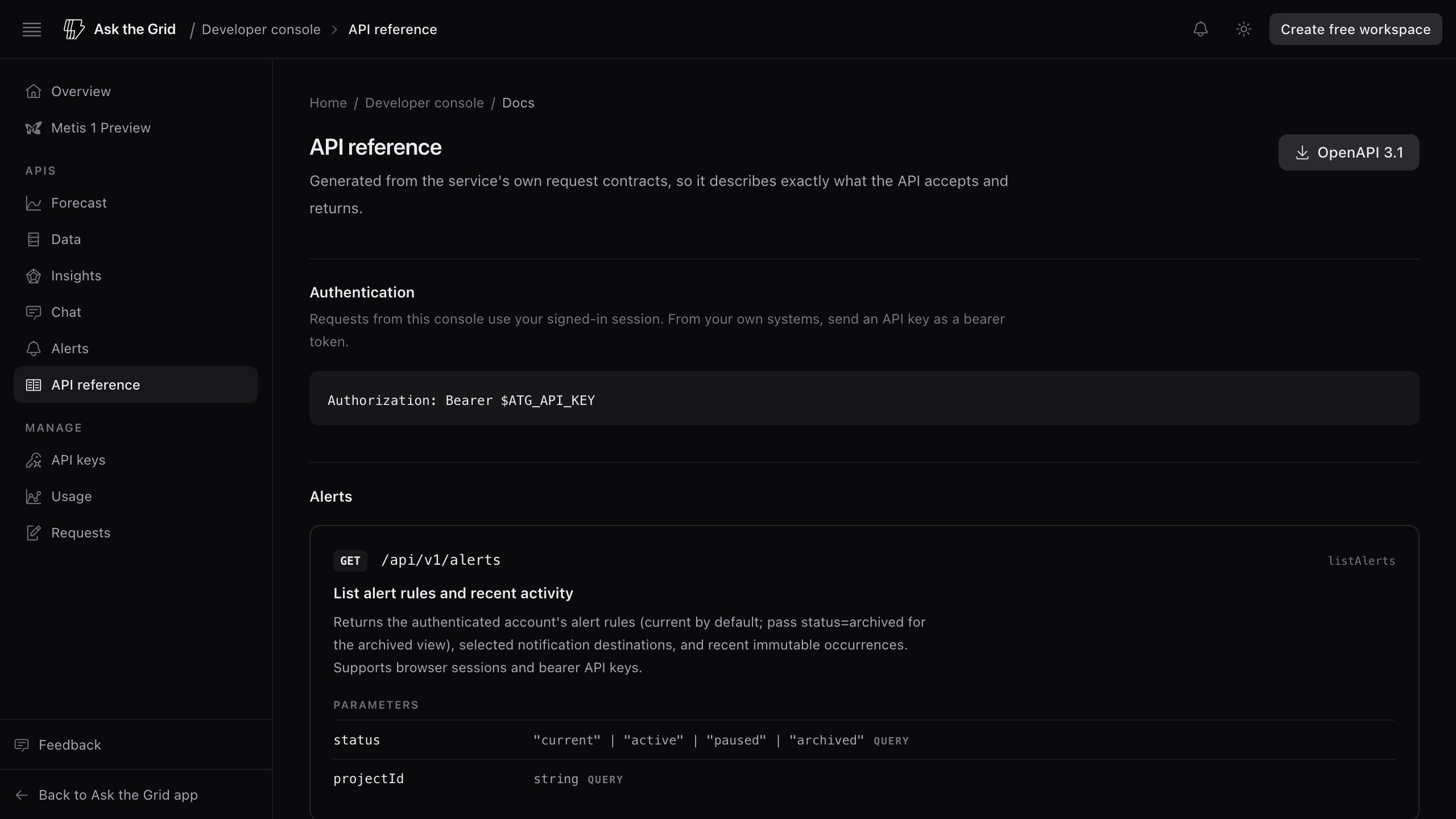
Use the reference for paths, methods, authentication, parameter constraints, request bodies, response schemas, and error shapes, or download it as OpenAPI 3.1. Use the model page for model-specific semantics that do not belong in a generic endpoint definition: horizon, interval, intended use, and limitations.
Preserve the returned metadata
Keep model identity, forecast vintage, horizon, market, units, data-source lineage, and request identifiers with downstream results. They are part of the meaning and the debugging path, not decorative response fields.
Manage keys and investigate API activity
Apply for an API key
The console is open to every signed-in account; API keys are issued by application. Open API keys, describe what you are building, and submit the application. You receive an email when it is decided. An organization approval can cover its current members. Each key stays bound to its organization, and leaving that organization or withdrawing its applicable approval ends key access. Forecast node grants remain separate from API approval. Once approved, create a named key for each service or notebook. The secret is shown once and only a hash is stored, so copy it at creation, keep it in a secret manager, and revoke it when the integration no longer needs access.
Use request history to reproduce failures
Logs lists metered events in a selected time window. Search by operation, resource, key name, or record ID; use Filters to narrow the stream by status, operation, and retained key; and sort by time, latency, operation, or status. Use the column headers or sort menu to change ordering; sorting applies to all matching records before pagination. Remove an active filter with its chip beneath the toolbar. Search, filters, and ordering are reflected in the URL, so you can share a view or return to it with Back and Forward. Open an event in the detail pane to inspect its recorded fields. Issues groups repeated 4xx and 5xx responses by status, operation, and retained key. Live refresh checks every 15 seconds while the page is visible, pagination holds its time window fixed, and Export page downloads the visible page as JSON. Historical events may have no key identity after a key is removed. Playground requests use your session and are not included.
Read traffic and serving performance
Usage aggregates the complete selected UTC calendar window, including today's partial day. Read request volume alongside error rate and p50, p95, and p99 duration; compare daily average and p95 latency; and inspect the HTTP response and latency distributions. Quiet buckets have zero requests and no latency reading. Operation, status, and credential breakdowns link to the matching log window so a spike can be investigated without changing its basis.
Choose MCP for an AI client
Use MCP when Microsoft 365 Copilot, ChatGPT, Claude, Cursor, Codex, or another compatible client should discover typed grid tools through OAuth. Use an API key when code you operate needs a direct HTTP contract.
Review organization security changes
Owners and administrators can open Settings → Organizations, select an organization, open Administration, and use Audit history to review the organization's recorded membership, invitation, role, and security changes. Use Filters to narrow the history by action or actor UUID, sort newest or oldest first with the Time header or sort menu, remove active filters with their chips, and open an event to inspect its recorded fields. Export audit downloads the matching retained history with an event count, sequence range, and SHA-256 manifest. Exports are limited to 10,000 events; narrow the filters for larger histories. Organization audit is separate from an account's API request logs, and current administrator access is checked on every page and before export delivery.
Did this guide get you unstuck?
One click is enough. No message or account required.