The MCP server for power markets.
Give Claude, ChatGPT, Microsoft 365 Copilot, Cursor or Codex the grid: prices, load, generation, interconnection queues, outages and grid assets across eight US power markets. Compare published renewable curtailment with its source, units and reporting clock.
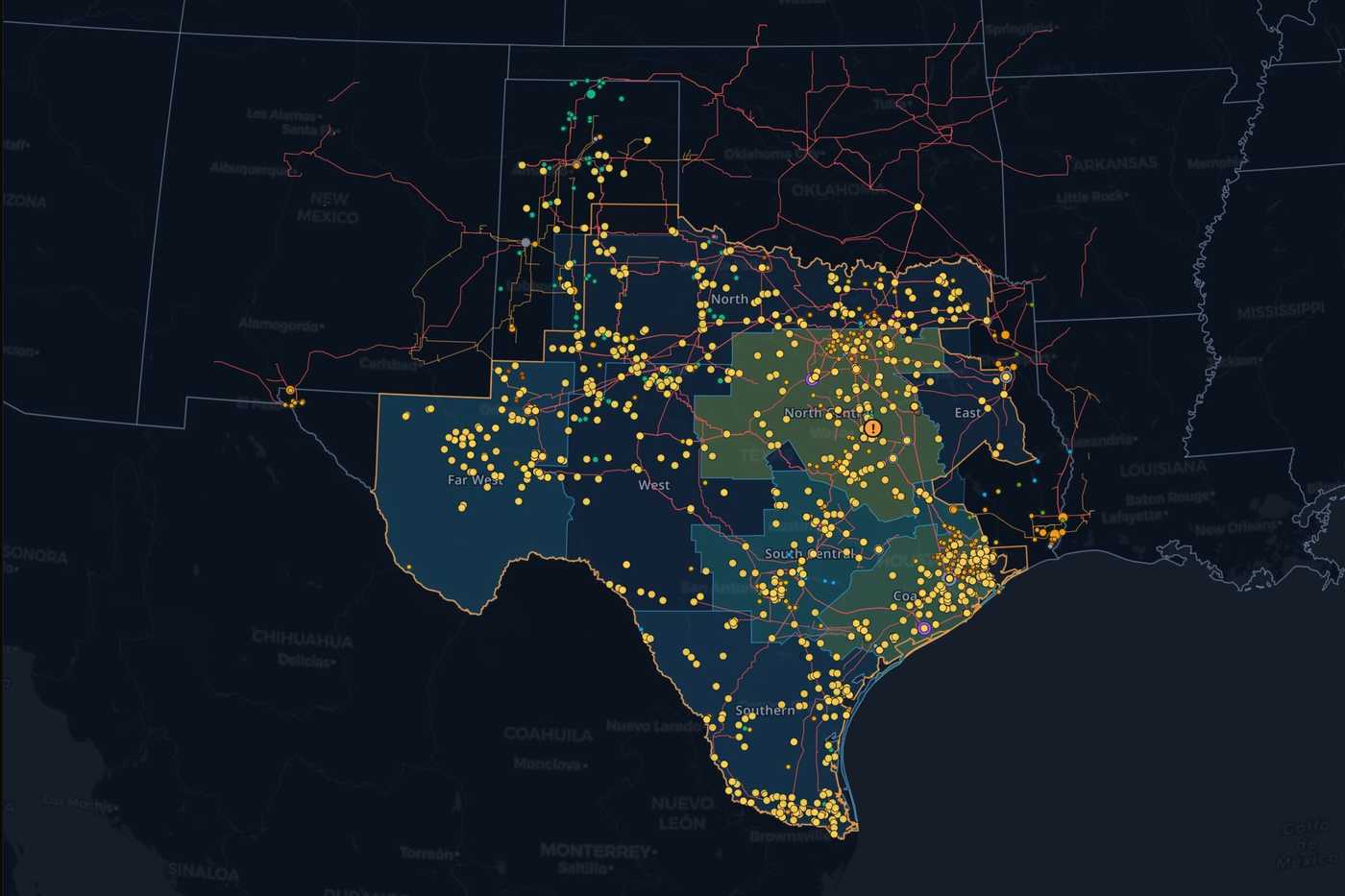
https://mcp.askthegrid.com/v1/global8
markets
356
datasets
15
typed tools
OAuth 2.1 · Streamable HTTP · scoped account actions · per-market or one global connection for all eight
Connect your MCP client
Microsoft 365 Copilot, ChatGPT, Claude, Cursor, or Codex, signed in over OAuth.
Read live market data
Prices, load, generation, queues, forecasts, outages, and curtailment analysis — one server per market, or one for all 8.
Get answers with sources
Each answer names its dataset, its as-of time and the ISO publication behind it.
See it working
Claude asking to call ERCOT, and the answer it gets back.
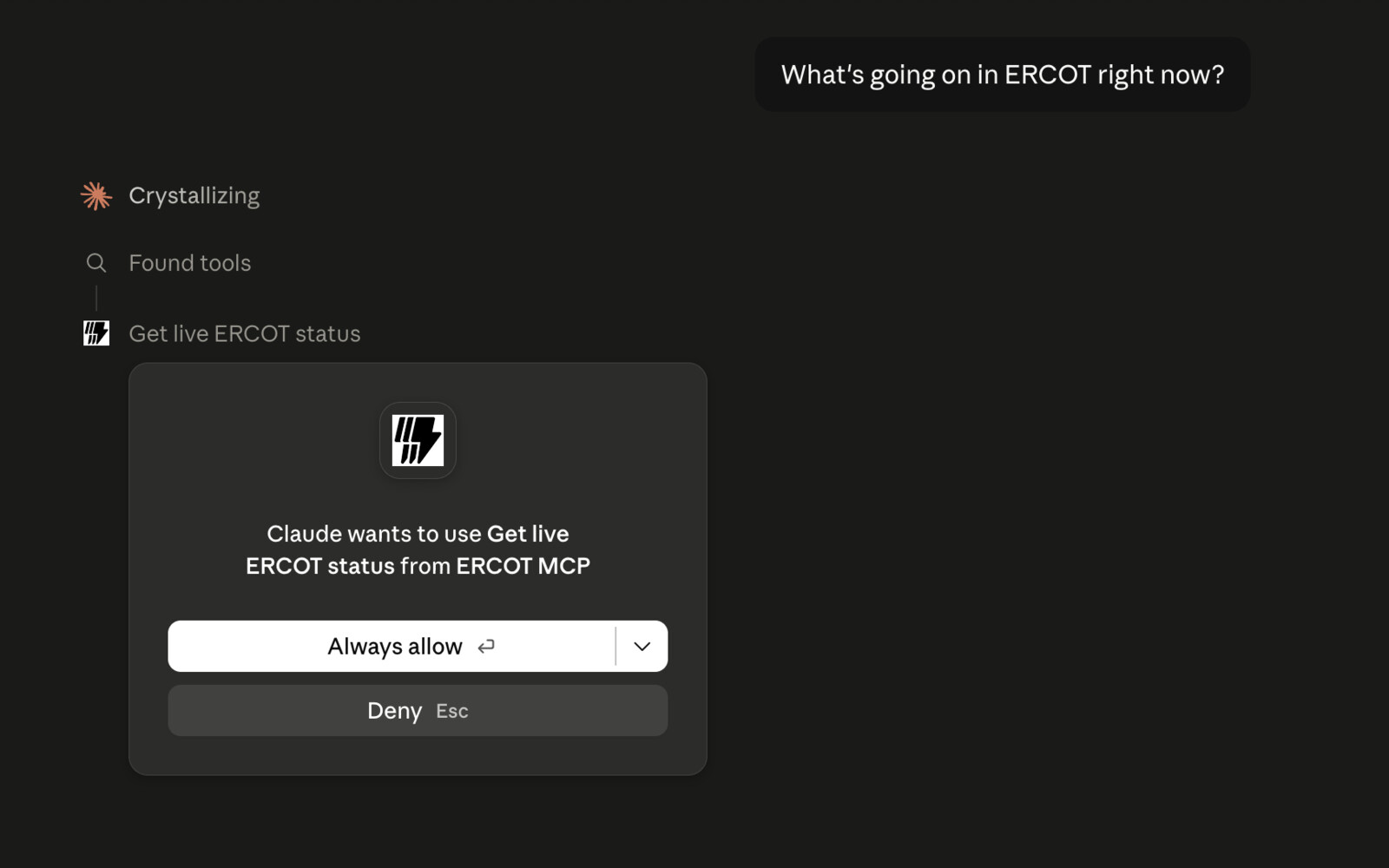
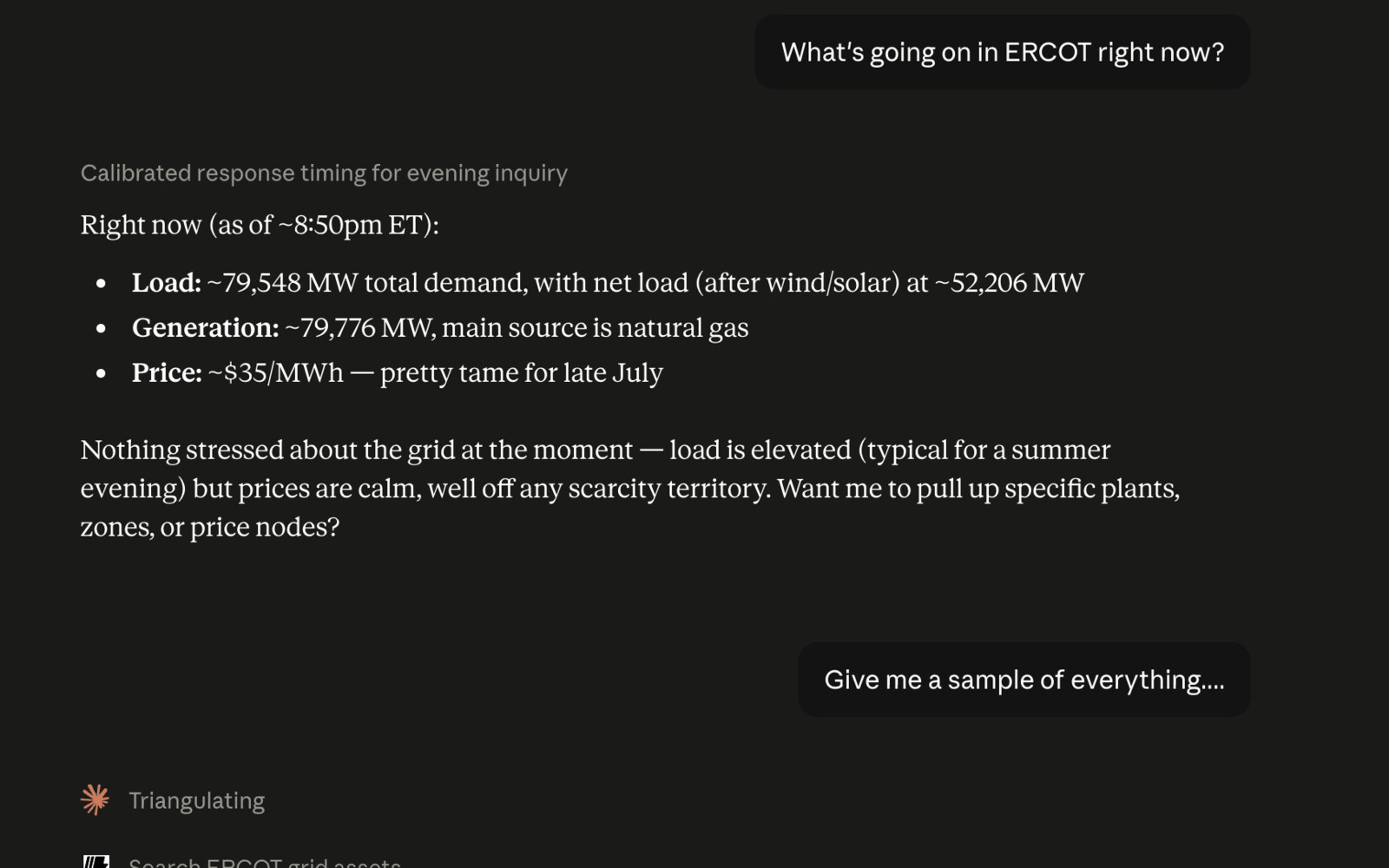
Now in ChatGPT’s plugin directory
Search for Ask the Grid on ChatGPT’s Plugins page, install it, and approve the access it asks for. Its tools appear in your chat. To pin a connection to one market, add that market’s URL as a custom connector.
Read the connection guide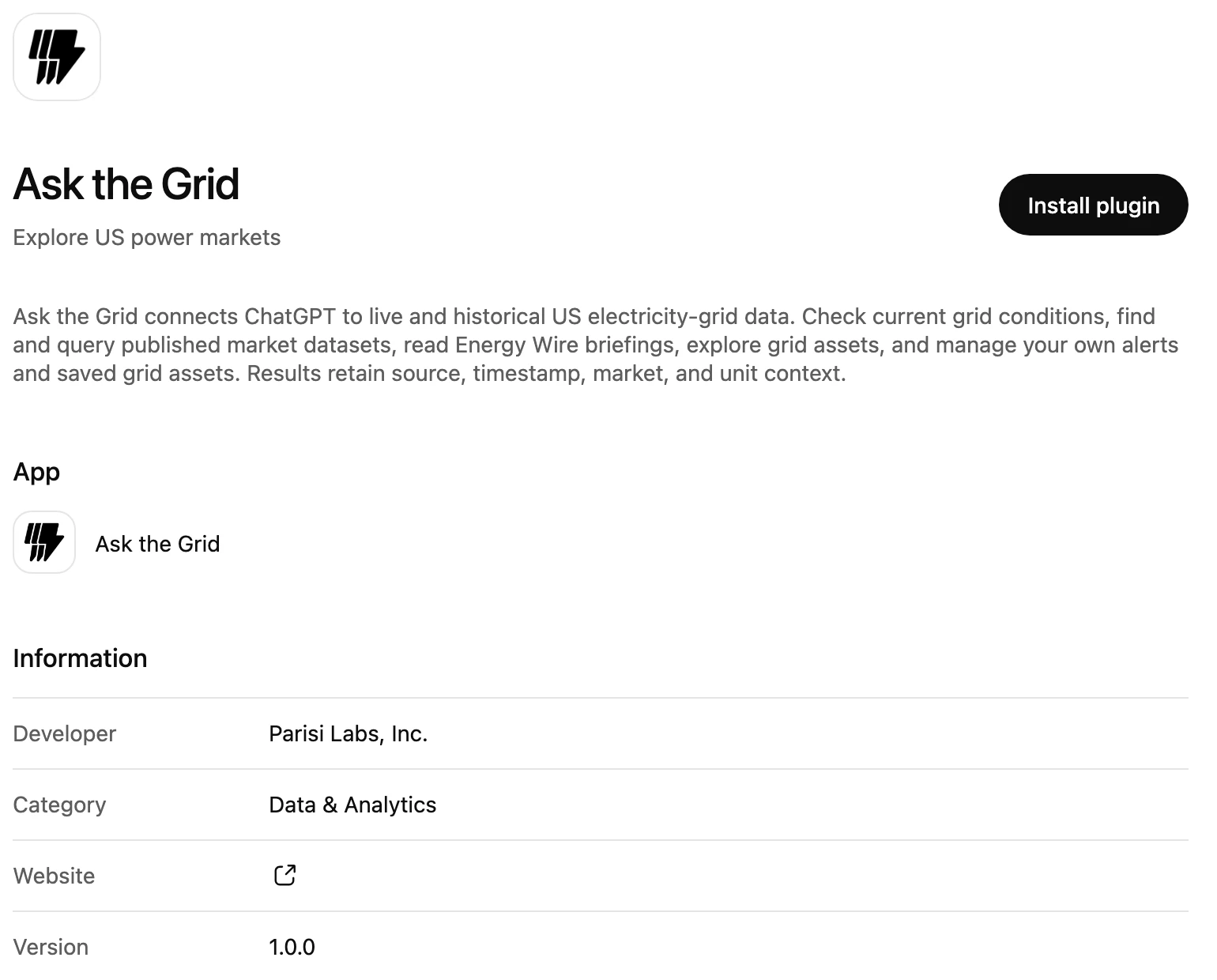
Questions to try first
Questions people ask once a market is connected.
What's the real-time price at this pricing node right now?
Which active battery projects are largest in the latest ERCOT interconnection queue?
How much wind and solar did CAISO report curtailed, by reason, over the latest complete days?
Which ERCOT batteries charged through the solar peak yesterday?
Which MISO constraints are binding right now, and where are prices separating?
How did today's load compare with the day-ahead forecast, hour by hour?
What outages are behind the congestion on this constraint?
Find gas plants within 20 miles of this substation, by capacity.
Which CAISO nodes had the widest DA/RT spread this week?
Paste any of them into your client.
Pick your market
Each market is its own dedicated server, endpoint, and credential. Prefer one login for everything? The global server below spans all eight, and market scope is checked on every tool call.

ERCOT MCP Server
Texas
Give your AI agent ERCOT prices, load, generation, forecasts, outages, constraints, interconnection queues, and grid assets.
73 datasets

CAISO MCP Server
California
Give your AI agent CAISO prices, demand, generation, forecasts, renewable curtailment, congestion, interconnection queues, and grid assets.
85 datasets

NYISO MCP Server
New York
Give your AI agent NYISO LBMP, load, generation, forecasts, outages, interconnection queues, and grid assets.
59 datasets

PJM MCP Server
Mid-Atlantic and Midwest
Give your AI agent PJM prices, load, generation, forecasts, outages, interconnection queues, and grid assets.
70 datasets

SPP MCP Server
Great Plains and SPP West
Give your AI agent SPP prices, load, fuel mix, forecasts, reserves, constraints, interconnection queues, and grid assets.
85 datasets

MISO MCP Server
Midcontinent
Give your AI agent MISO prices, load, generation, forecasts, reserves, constraints, interconnection queues, and grid assets.
84 datasets

ISO-NE MCP Server
New England
Give your AI agent ISO-NE PNode prices, load, forecasts, constraints, interchange, queue, and grid assets.
58 datasets
BPA MCP Server
Pacific Northwest
Connect AI agents to BPA demand, wind and hydro generation, reserves, transmission flows, outages, and generation and load interconnection queues.
63 datasets
One credential, every market
The global server spans ERCOT, CAISO, NYISO, PJM, SPP, MISO, ISO-NE, and BPA on a single OAuth connection. Every tool call still takes an explicit market argument, checked server-side against what the connection can access — the same trust boundary as the per-market servers, just enforced per call instead of per connection. Search Energy Wire news and briefings, read your saved assets and portfolios, see findings affecting them, and manage your MCP connections. Account changes use separate scopes.
Read the connection guideChecking your Ask the Grid session…
Connect with Claude
Add Ask the Grid as a custom connector, then authorize it with your existing account.
Claude Free (one custom connector), Pro, Max, Team, and Enterprise
- 01Open Customize → Connectors and add a custom web connector. Team and Enterprise connectors must first be added for the organization.
- 02Name it “Ask the Grid Global,” paste the resource URL below, and review the OAuth settings. Choose automatic client registration if prompted.
- 03Add the connector, sign in to Ask the Grid, and approve the requested scopes.
- 04In a conversation, open + → Connectors and enable Ask the Grid Global.
https://mcp.askthegrid.com/v1/global
Under the hood
15 compact, typed tools, read-only by default and bounded per market. Separate write scopes cover only explicit alert management and one reviewed Enterprise asset-hydration request.
Full tool contractssearch_datadescribe_dataquery_dataquery_grid_assetsget_live_grid_statusget_congestion_pathget_asset_profileget_asset_intelligencerequest_asset_hydrationget_asset_hydration_statusget_alert_capabilitieslist_alertsget_alertcreate_alertmanage_alert
What each tool does15
search_dataFind query-ready datasets in the connected ISO catalog.
describe_dataInspect one dataset's schema and semantic query contract.
query_dataRun bounded read-only SQL against ISO-approved tables.
query_grid_assetsSearch typed plants, nodes, zones, substations, and lines.
get_live_grid_statusReturn current ISO headline values and freshness metadata.
get_congestion_pathMeasure one source→sink congestion path — which constraints move its basis, the coming week's outlook, and a hedge/instrument/ignore call at a stated size.
get_asset_profileRead a compact published profile for one exact grid asset.
get_asset_intelligenceRead an Enterprise source-backed asset intelligence dossier.
request_asset_hydrationQueue Enterprise hydration for an existing grid asset.
get_asset_hydration_statusRead the status of one owned asset hydration request.
get_alert_capabilitiesRead the exact market, target, signal, and condition combinations the alert evaluator can execute.
list_alertsList active alert rules owned by the authenticated user.
get_alertRead one owned alert rule and its recent activity.
create_alertCreate an alert only from an explicit user request after checking that its threshold and cadence are sensible.
manage_alertPause, resume, update, or archive one owned alert after an explicit user request.
Authorization
OAuth 2.1 + PKCE
No API keys to copy or leak.
Query safety
Allowlist + row caps
Bounded, rate-limited, audited.
Market boundary
Checked every call
Enforced in code, not by prompt.
Questions
- What is an energy MCP server?
- An energy MCP server gives compatible AI clients a standard, structured way to discover and use energy data and tools. Ask the Grid connects your AI client to power prices, load, generation, interconnection queues, forecasts, outages, grid assets, and source-specific curtailment data.
- Which power markets does the Ask the Grid MCP server support?
- There is a server for each of ERCOT, CAISO, NYISO, PJM, SPP, MISO, ISO-NE, and BPA. A global server also covers all eight on one OAuth connection and checks market access on each tool call. Duke Carolinas, Duke Progress East, Duke Progress West, Duke Florida, FPL, Southern, TVA, Baja California, AESO, IESO, CENACE, Hydro-Québec, BC Hydro, Manitoba Hydro, SaskPower, NB Power, and IESO Nova Scotia are live across the rest of Ask the Grid, outside this MCP release.
- Can I query interconnection queues through MCP?
- Yes. Search, inspect, and query generation-interconnection queues across ERCOT, CAISO, NYISO, PJM, SPP, MISO, ISO-NE, and BPA. BPA also exposes its separate load and line requests. Choose the latest snapshot for current project status, requested MW, technology, and published connection details. Requested queue capacity is not operating capacity or an approval.
- Which curtailment data can I use?
- CAISO publishes wind and solar curtailment by fuel, type, and reason. SPP exposes renewable-curtailment categories and reports, keeping balancing areas and source units separate. ERCOT supports curtailment analysis from renewable-output and resource-telemetry data; available-output gaps are estimates, and unit-level SCED disclosures arrive on a 60-day delay. Discover the dataset and inspect its measurement contract before comparing markets.
- What does the global MCP server add?
- The global server lets a client choose a market per data call instead of connecting once per ISO. It also exposes Energy Wire news and briefings, saved assets and portfolios, findings affecting those assets, and MCP connection management, with separate permissions for account changes.
- Which AI clients can connect?
- Microsoft 365 Copilot, ChatGPT, Claude, Cursor, Codex, and other clients that support remote Streamable HTTP MCP servers can connect to Ask the Grid.
- Do I need an Ask the Grid account?
- Yes. Your client opens the Ask the Grid sign-in page and you approve access there (OAuth 2.1 with PKCE). There is no API key to copy.
- Can an MCP client change power-market data?
- No. The reading tools cannot change market data. If you grant the separate write scopes, a client can act on your own account only: set or edit alerts when you ask it to, queue an Enterprise asset-hydration request for review, or revoke one of your MCP connections.
Connect your agent with one URL.
Free with an Ask the Grid account.