Reports & recurring briefings
Set up a recurring brief about a decision you make. On your schedule the grid agent reads the market data behind it, analyzes what changed, and writes you a short issue by email and on Ask the Grid.
Open Reports- Status
- Live
- Access
- Free account
- Reading time
- 10 minutes
- Updated
- Oct 12, 2026
A report is a recurring brief about a decision you make, written like an analyst's note rather than a fixed table. You choose what it is for, the market, what it covers and when it arrives. On that schedule the grid agent reads the data, compares it with the previous issue, and writes what changed and what to watch. Each issue goes to your inbox and stays on the report's page with every earlier one. Sending it to other people, reviewing an issue before they receive it, and a public web page are optional, under Share.
Daily market briefings lead with what is new, materially changed, continuing, or resolved since the previous issue. Several connected findings compare the past session, published forecast revisions, regional prices, physical conditions, operator events, and relevant news. Sections and supporting exhibits follow the findings rather than a fixed daily checklist. A chart earns its place when timing, shape, uncertainty, or a comparison helps explain a decision; editions on uneventful days can be shorter and need no chart. The email carries the selected morning read, while the full issue can include additional evidence. The analyst explains their implications for preparation and the evidence that would change the view; ordinary conditions receive calm analysis. Forecasts retain their source and issuance time, and detailed methodology remains in the full issue.
On this page
Start a report
A report is an agent that runs on a schedule. Say what it should watch and when, and it is drafted for you.
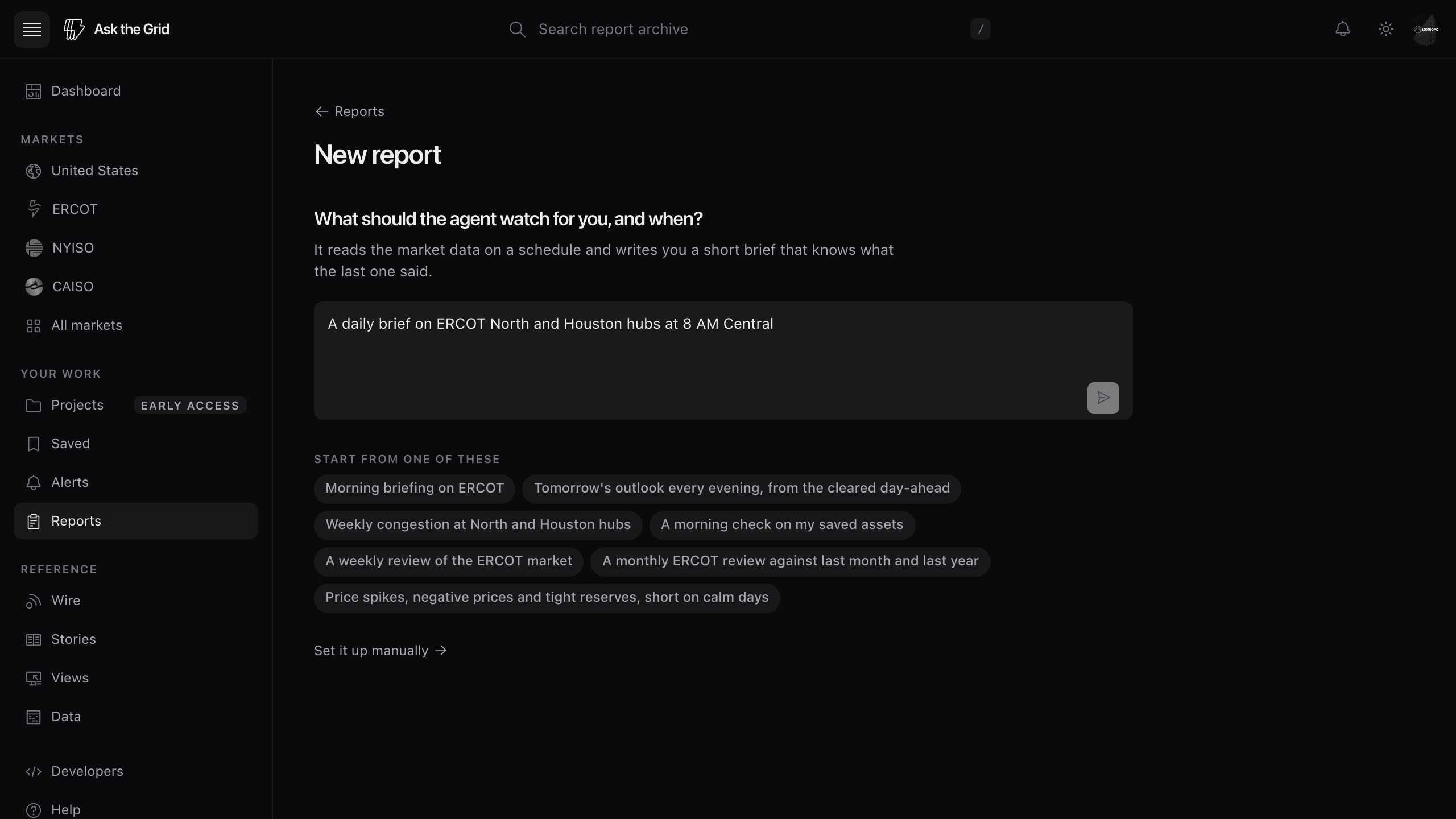
Ask for it in a sentence
Choose New report and say what to watch and when, or pick a starter prompt. The agent drafts the brief type, market, coverage, schedule, audience and instructions, then states its assumptions. It asks only for details needed to run, such as which assets to watch or a supported cadence. New reports currently run on ERCOT; requests for another market are marked in the draft and still watch ERCOT.
- 1Open Reports and choose New report.
- 2Say what the agent should watch and when, or pick a starter prompt.
- 3Read the sentence on the card. Change When, Covers or Sends to in place, or open Adjust details for the title, the kind of brief, who it is written for and its instructions.
- 4Choose On demand for a one-time report, or Daily, Weekly, or Monthly for a recurring schedule, then Start.
The card
Read the card's summary, first delivery time and issue outline before starting. Change When, Covers or Sends to in place, or open Adjust details for the full setup. Monthly reviews run on the day of the month they started. Start over returns to the question; Set it up manually opens all the details. Reports proposed by the agent or from a saved collection use the same card. For an ERCOT collection, choose Create report in its actions menu to start with its assets. Back returns to that collection; creating from Reports returns to the filtered report list.
After you start it
The report page confirms its first delivery. Choose Write the first issue now to start immediately, or change settings under Manage. Free accounts can keep 1 report scheduled; Enterprise accounts can keep 40. Pause a report to make room; its earlier issues remain available. If an account holds more active schedules than its plan allows, the newest pause before their next issue, the owner gets one email, and the report page says why.
Review an issue before others receive it
Under Manage, Share, turn on Review before sending and each issue waits for you to approve it before anyone else receives it.
Waiting for your review
With Review before sending enabled, the owner's email offers Approve and send, Edit on Ask the Grid and Skip this issue. Approve and Skip require confirmation; opening the email link alone changes nothing. Find pending issues under Manage, Runs. An optional review deadline either sends an untouched issue or leaves it unsent, as you choose.
Edit before it goes out
Preview the web, email and phone editions. Edit a heading or paragraph, or ask the agent to revise one section. Its revision preserves figures and citations and reports whether it succeeded. Send yourself a test email, then approve delivery by email and on Ask the Grid, or on Ask the Grid only.
Held issues
An issue the automated checks hold back waits for you with the reason. Send it yourself or leave it unsent. Issues built on your connected data stay private.
Read an evidence-backed issue
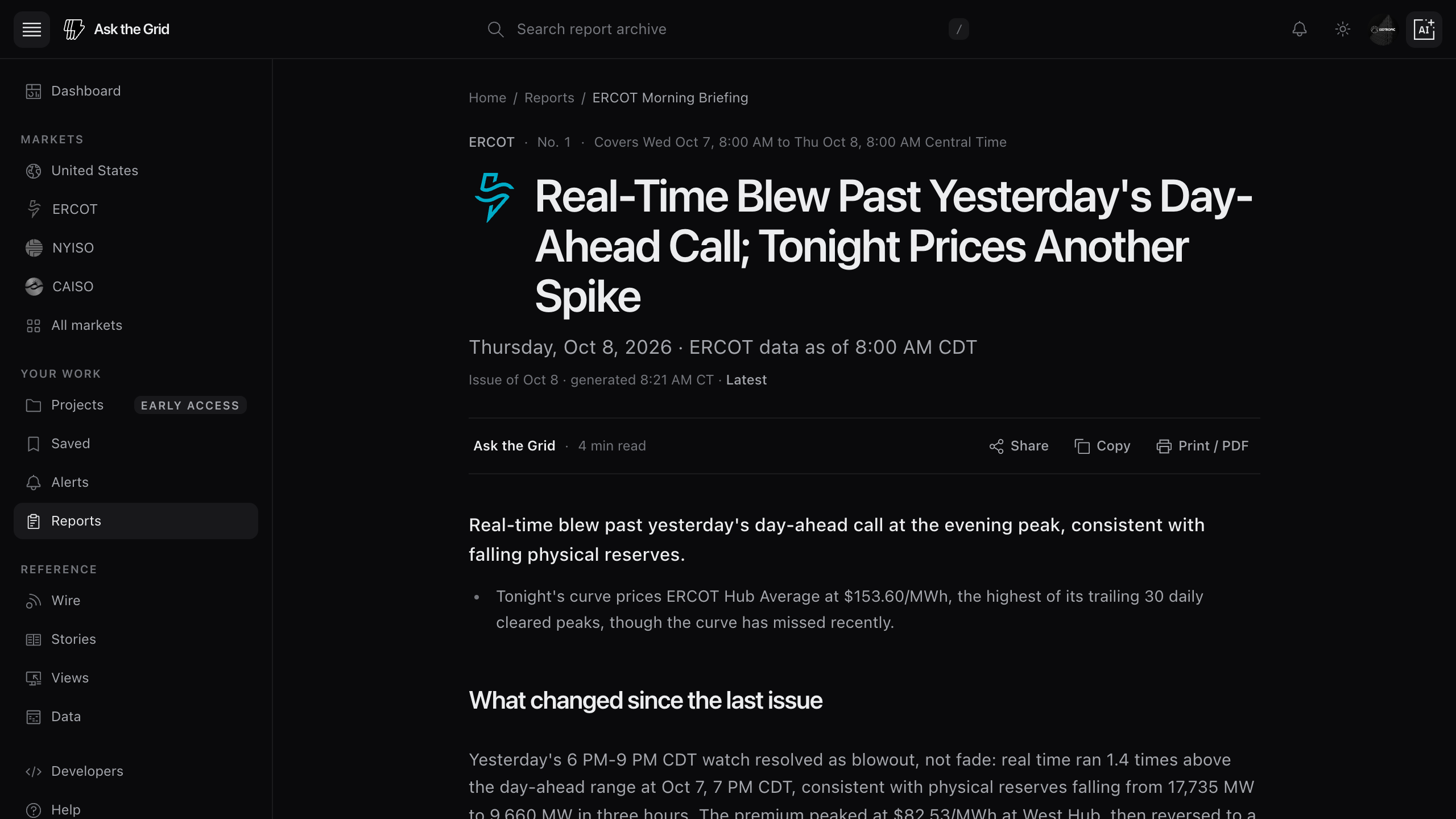
Follow the analytical structure
Check the issue number, covered window and data cutoff first. Read the summary, What changed since the last issue, notable readings beside their usual ranges, analysis and next watch items. The closing question opens the agent with the issue loaded. The full edition retains charts, sources, assumptions and methods.
Check the explanation for a price move
A brief can connect a notable price move with the findings and source observations available for that hour. Follow its citations to check the measurement time, forecast issuance time and method. A finding can support an explanation without proving a cause: a binding constraint alone does not establish a hub's exposure, and falling battery output does not establish exhausted stored energy. When the evidence leaves an alternative open, the explanation keeps that uncertainty attached.
Check the forecast behind the outlook
The report analyst uses the issue's frozen cutoff and prior-call scorecard. Ask what the preceding outlook got right or wrong to compare its recorded expectations and realizations. A latest live forecast is a separate investigation. Morning briefings use forecasts no older than two issue cadences that cover every complete requested hour. Source notes preserve model version and issuance time; performance scores compare the same model and version.
Read asset-to-hub comparisons
When an ERCOT report has an explicit resource-node and benchmark-hub path, its basis table compares those prices over matching intervals. Basis means node minus hub; RT-DA means real-time minus day-ahead at one location. Check the coverage and price basis beside the chart: real-time LMP comparisons are indicative, not final settlement or asset profit. A solar clock-hour comparison is not weighted by actual plant generation. The issue needs at least 95% matched price-interval coverage for every configured path before it can go out.
Check each watched asset
Custom morning briefings assess every saved asset against the evidence available at the issue cutoff. For ERCOT plants, verified owned resource-node links can supply local real-time and day-ahead price context. A nearby node is not a substitute for that identity, and local prices do not establish generation, battery dispatch, revenue or hedge performance. If requested output is unavailable, the issue explains which decision remains unresolved; missing output is not zero output.
Keep connected data private
Issues built on the owning account's connected data stay private. Public and unlisted reports are available only when every input preserves its source and privacy boundary.
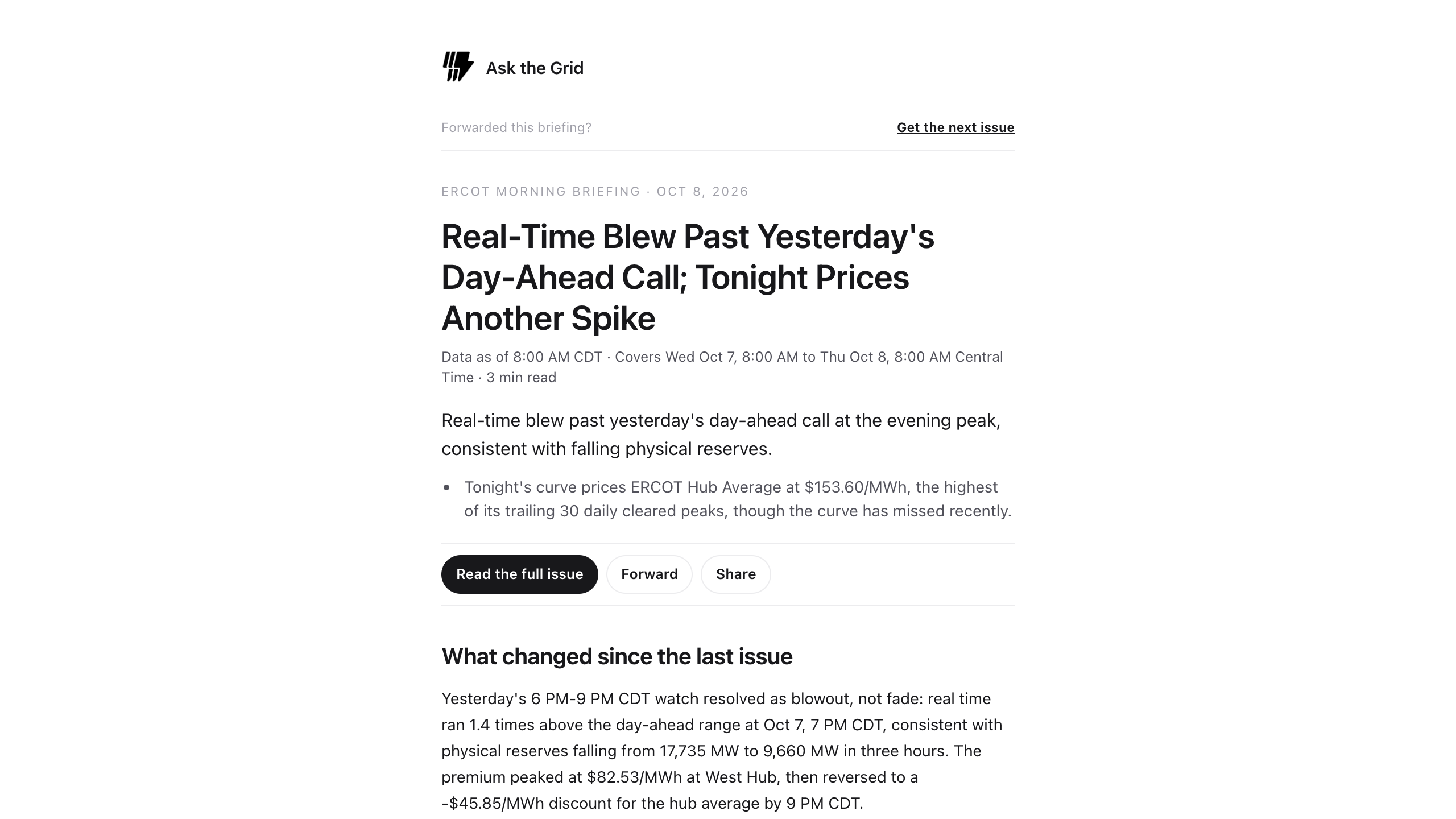
Deliver, share and revisit each issue
Did this guide get you unstuck?
One click is enough. No message or account required.