An AI agent for
power-market research.

Ask about a price move, explore an asset, or test a network case. The grid agent reads source data, runs AC and DC power-flow studies on supported models, and keeps the evidence beside the answer.

Grid agentERCOT

Illustrative investigation. Your answer uses the data and time window you ask about.

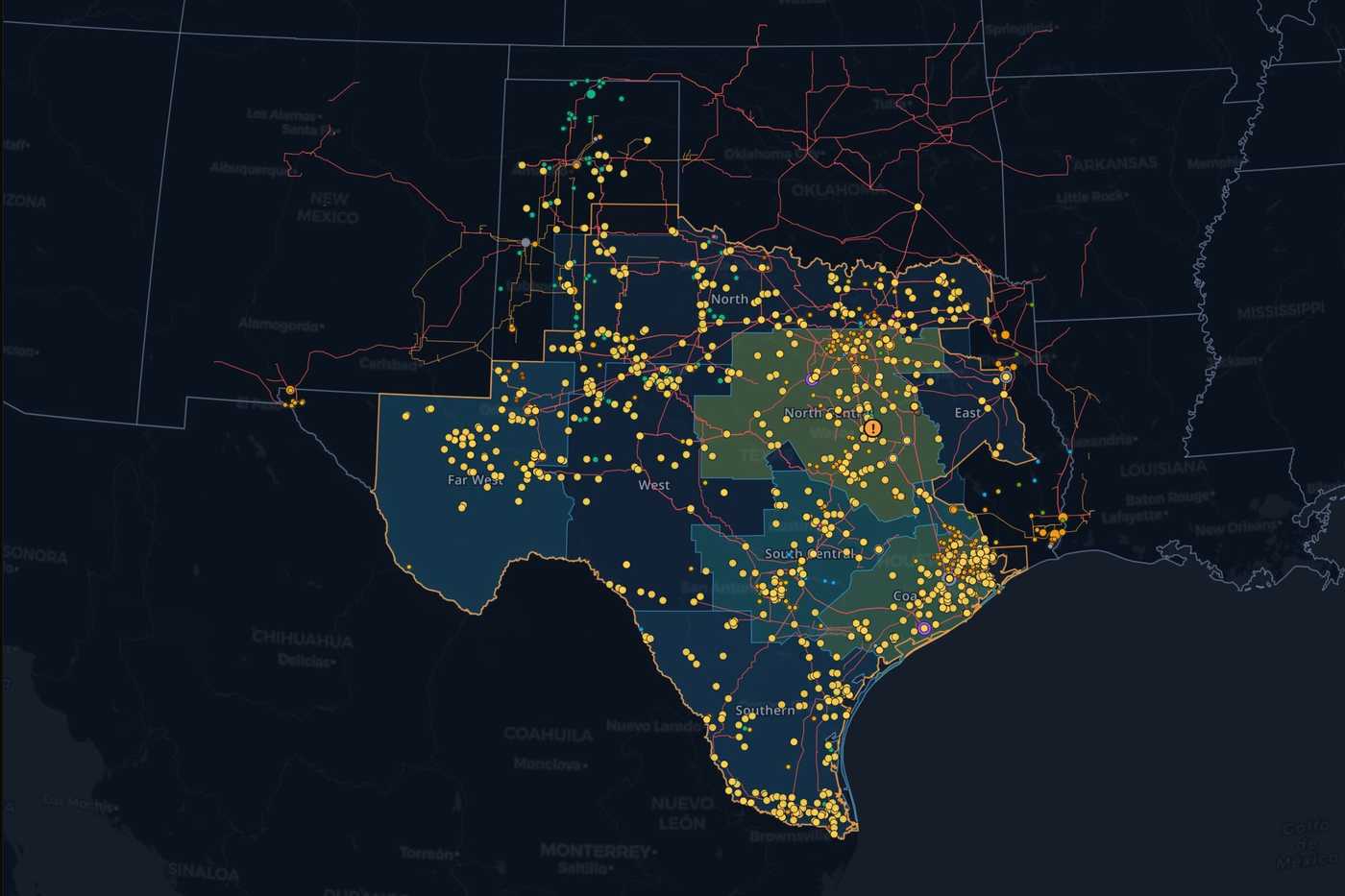
Live map · ERCOT

The question is yours. Finding the data is its job.

Power-market research crosses prices, demand, generation, weather, and the public record. Ask the Grid brings those sources into one investigation, so you can move from a question to the underlying evidence without assembling every table yourself.

Select an asset on the map, name a market and interval, or start with a plain-English question. Follow-ups carry the context forward, and the map and charts help you inspect what the answer found.

Read the agent field guide
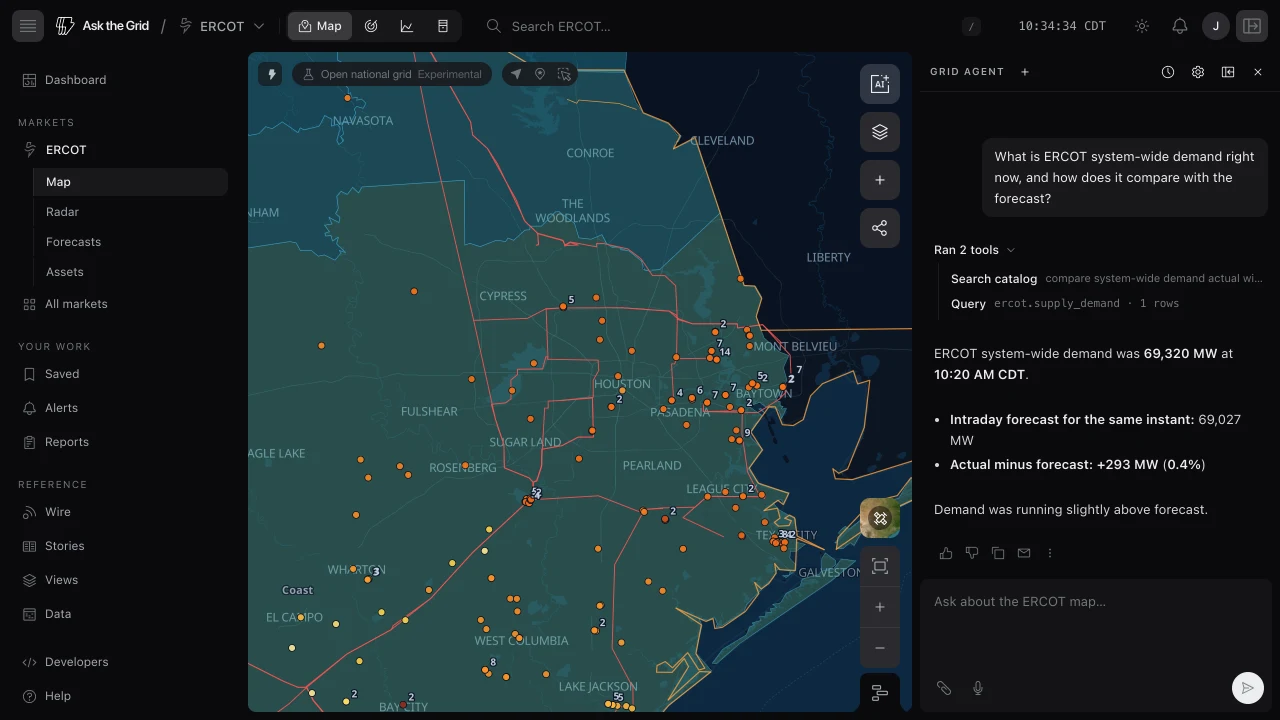
The grid agent beside the ERCOT map, with an expanded catalog search and query trace above an answer comparing demand with the intraday forecast.
A real investigation: demand versus the intraday forecast, with the source trace open.

From a network model to a tested scenario.

Upload a compatible PSS/E RAW or RAWX case and ask the agent to test it. Integrated AC and DC power-flow solvers turn a proposed injection, demand change or branch outage into numerical results beside the answer.

DC power flow
Screen injections and withdrawals against branch ratings, with all circuits in service and selected single outages.
AC power flow
Check bus voltage, reactive-power limits, losses and MVA loading for a supported steady-state case.

Results retain the source case, scenario and calculation checks. A case study does not establish interconnection approval or dynamic stability.

Work with a network model

Start with the work on your desk. Three questions to take into the live grid.

Follow the answer back to its source.

The answer is the start of the investigation. Inspect the evidence, change the window, and ask the next question.

Sources you can inspect
See the datasets and public sources behind the answer, with a trace of the work it performed.
Time and units attached
Keep the market interval, measurement units, and forecast or observation status with the result.
Charts you can question
Ask for a comparison or trend, then continue the investigation from the chart.
A map in the conversation
Locate the asset, inspect the surrounding grid, and carry your selection into the next question.

Built around the people who read the grid.

Power traders and analysts

Investigate nodal prices, DA/RT spreads, congestion, and the operating conditions around a market move.

Explore the workflow

Utilities and co-ops

Connect wholesale-market research with demand, generation, operator notices, and the assets you follow.

Explore the workflow

Asset owners and operators

Understand an asset in its market and network, with its public record and source data close at hand.

Explore the workflow

Before your first question.

What is an AI agent for power markets?

It is an assistant that works through an energy research question using market data and tools. Ask the Grid searches its data catalog, queries the relevant datasets, performs calculations, and returns an answer with sources. It can also draw charts and move the map during an investigation.

Which markets can I ask about?

The grid agent supports ERCOT, CAISO, NYISO, PJM, SPP, MISO, ISO-NE, BPA, TVA, Duke Carolinas, Duke Progress East, Duke Progress West, Duke Florida, FPL, Southern, Baja California, AESO, IESO, CENACE, Hydro-Québec, BC Hydro, Manitoba Hydro, SaskPower, NB Power, IESO Nova Scotia. Available datasets, history, and publication frequency vary by market. The data catalog shows the source and coverage for each dataset.

How do I check an answer?

Open the sources and the execution trace to inspect what the agent read. Answers preserve the market, time, units, and the distinction between observations and forecasts. You can ask for the calculation, chart the result, or narrow the time window in a follow-up.

How does the agent work with Metis forecasts?

The agent is the investigation surface; Metis is the forecasting model family. Ask the agent to research observed conditions and published forecasts, and explore the AI models page for Metis 1 Preview price forecasts, horizons, and methodology.

Can the agent run AC and DC power-flow studies?

Yes. Upload a compatible PSS/E RAW or RAWX network case. DC power flow screens changes in injection, withdrawal, demand and selected branch outages. Supported full AC power flow adds bus voltage, reactive power, losses and MVA loading. Results retain the case, scenario and calculation checks. These steady-state case studies do not establish interconnection approval or dynamic stability.

Can I use the data in another AI assistant?

The MCP server connects compatible AI clients to Ask the Grid’s power-market data. The developer platform also provides APIs for building your own workflows. See the MCP connection guide for supported clients and setup.