Your project, checked against the grid.
A project lives in two places: the documents that describe it, and the grid it connects to. Projects reads the files, places the project on the live grid, and tells you when either side moves.
Coming soon. We’re opening Projects to a few teams first.
Reconciled by hand today. And stale the moment a new study, case or contract arrives.
Projects checks each claim in the documents against the grid it describes, and keeps checking as either side changes.
One room, from site to operations
The files change as a project moves along, and so do the questions. Pick the stage you’re in.
The question
“What's around this site?”
What’s in the room by then
A site boundary, land agreements, early permitting.
What Projects does
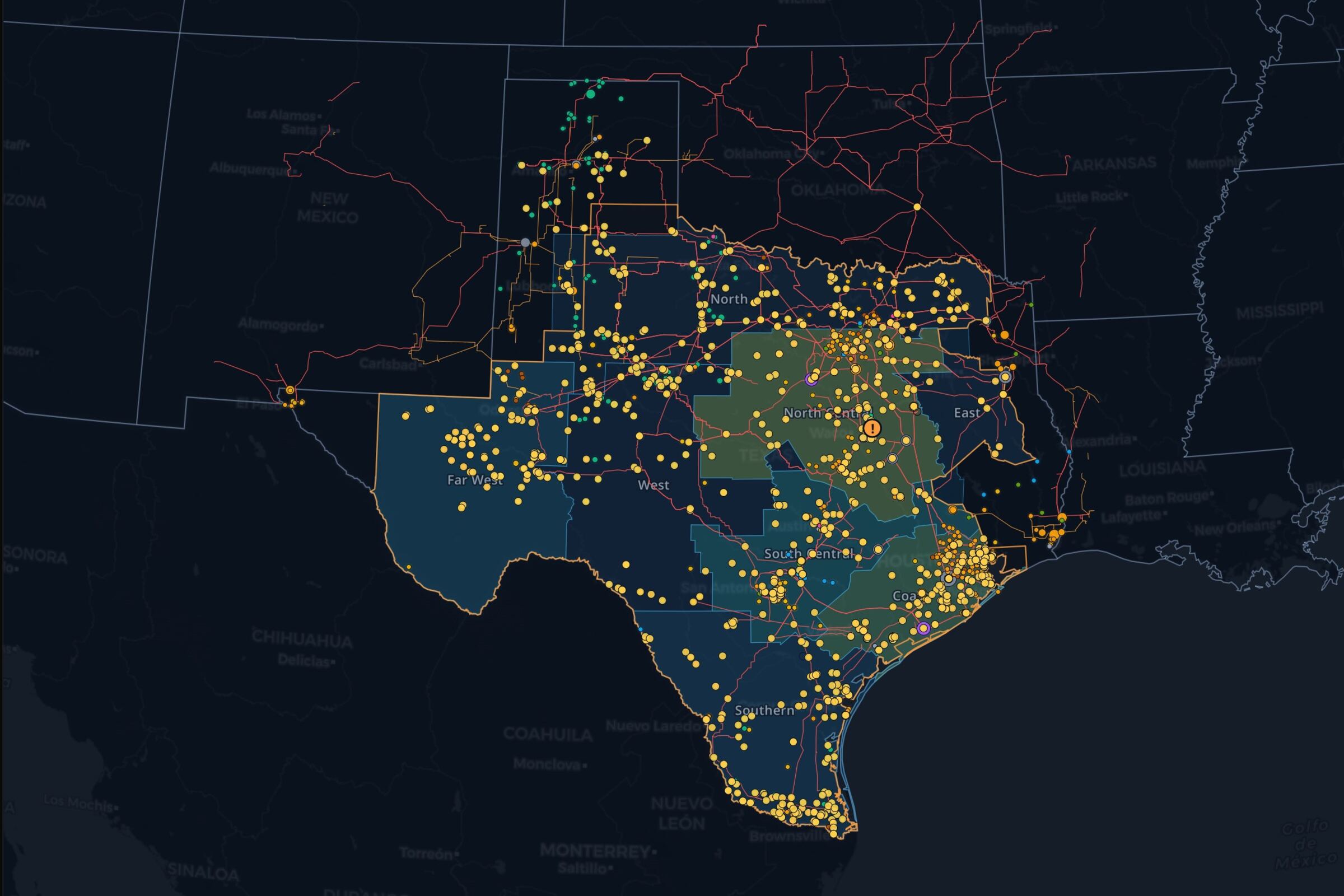
Upload the boundary as KML, KMZ or GeoJSON and, once you've reviewed it, the project takes its place on the grid map: the transmission lines near it, the plants and queue requests around it, and the prices at the nearest nodes and hubs.
Version 1
216 MW
Version 2
216 MW
Version 3
122 MW
Find conflicts across documents
Interconnection agreement
Page 14
150 MW
Base case model
Inputs, C9
175 MW
The model exports 25 MW more than the agreement allows.
Inside a project
Five sections, the same in every project. It sets itself up from the files you give it.
Ask it about the project
The questions that used to mean an afternoon in the data room, a spreadsheet and the map. The agent reads the documents and the grid together, and shows where each part of the answer came from.
- “What does the interconnection agreement say about curtailment, and on which page?”
- “What changed between the last two drafts of the financial model?”
- “Which permits expire before the commercial operation date?”
- “How much can we inject at our bus with the most loaded nearby line out?”
- “How have prices at the nearest hub moved since the offtake was signed?”
- “Which queue requests connect at the same substation as ours?”
Every answer shows its work
A data room is only useful if you can rely on what comes out of it.
Cited to the page
Every claim links to the page or cell it came from, and is checked against it before you see it.
Reviewed before it counts
Findings from agents and studies wait for someone on your team to accept or dismiss them.
Nothing overwritten
Every version of every file stays, so you can see what changed, when, and what it moved.
Built on the live grid
A project isn’t a separate tool. It sits inside Ask the Grid, beside everything the platform already knows about the place it connects to.
The grid map
The site sits on the same map as transmission, plants, queue requests and prices. In ERCOT, a case's buses are placed on the map and linked to their nodes and plants.
The live mapMarket data
Live and historical prices, load and outages for the project's market, next to its own files.
MarketsThe grid agent
The same agent, with the project's documents and studies in hand. It runs the connection study itself when you ask.
The grid agentHow it works
- 01
Put the files in
Documents, spreadsheets, site files and network cases. Add new versions as they arrive.
- 02
It reads and places them
The project proposes its market and site from what it finds, and you confirm them.
- 03
It keeps checking
Every new file is read, every new case is studied, and anything that moved lands in the Feed.
We’re opening Projects to a few teams first.
Request access from your account and tell us what you’re working on. We’ll be in touch as places open.