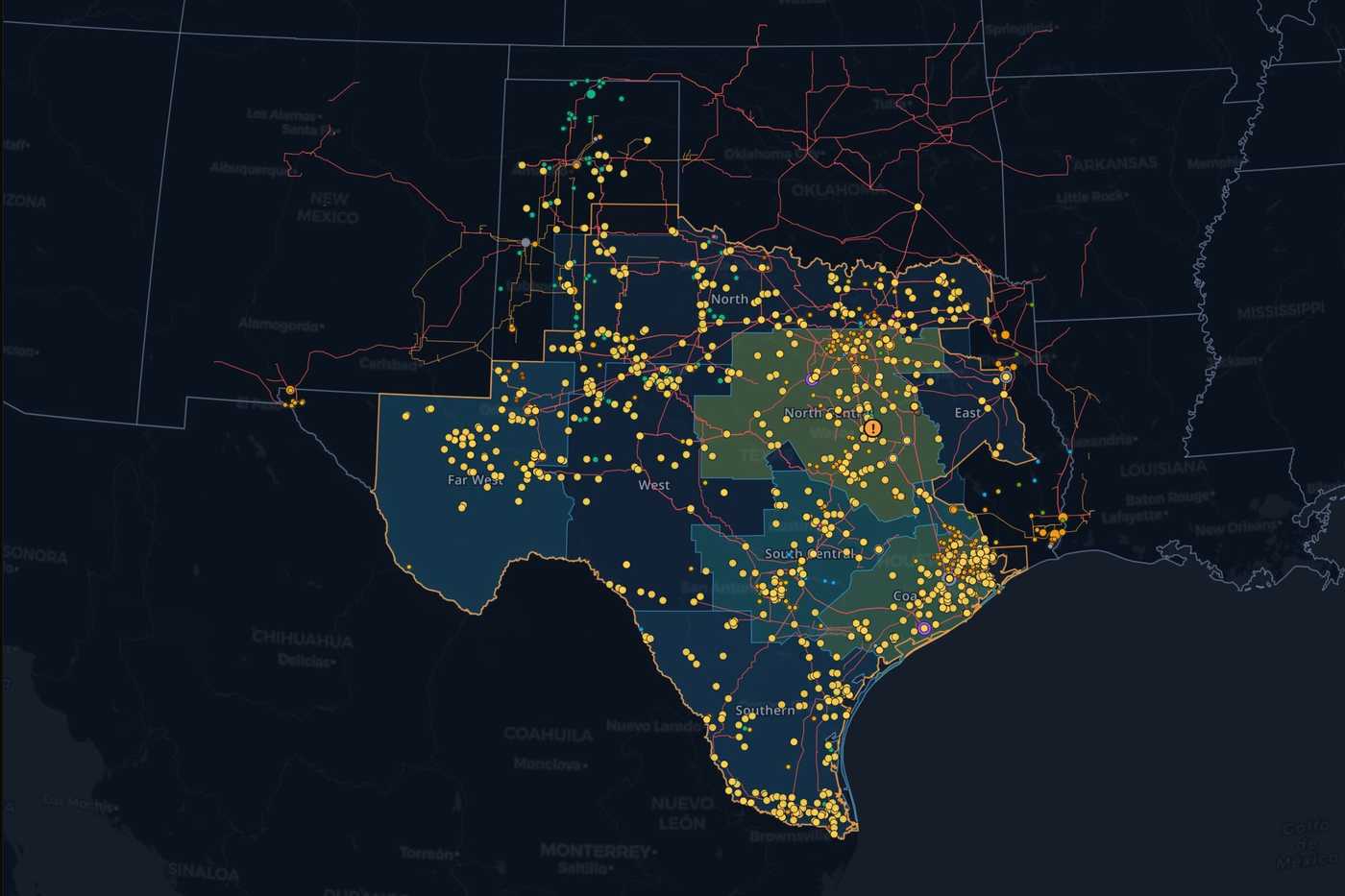
Your grid, your data. An agent that works across both.

Connect your assets, models and operating data to Ask the Grid. Ask the agent to investigate changes, run network studies and monitor what matters, with your data and the wider grid in the same workspace.

See pricing

See a workflow relevant to your team, then discuss your data, access requirements and a starting point.

Put the agent to work on your data

Give the agent context from the systems your team uses, alongside Ask the Grid’s market and infrastructure data. Investigate your assets in context, follow the sources behind an answer and keep the resulting work available to your team.

Network and GIS
Esri ArcGISGE Vernova SmallworldSchneider Electric ArcFMEsri ArcGIS, network models
Operational historians
AVEVA PIAspenTech InfoPlus.21Honeywell UniformanceAVEVA PI
Commercial
ION OpenlinkHitachi EnergyOATIETRM, settlements
Your systems
Siemens Spectrum PowerGE Vernova GridOSSchneider Electric EcoStruxureSCADA, EMS/ADMS, databases

Your agent

Configure the agent around your sources and workflows. Ask across your data and the market, with the sources it read beside the answer.

Your map

Put your private GIS, networks and assets on the same map as market prices, infrastructure and weather.

Your shared workspace

Share saved assets, map views, projects, conversations, reports and alerts. Keep the team working from the same context, with access set for each resource.

Role-based access control (RBAC) governs what members can view, edit and manage. Grant tool capabilities and control what the agent can access. SAML single sign-on, data residency, retention, private deployment, an SLA and a DPA complete the enterprise offering.

Security and access

Tools for planning and trading

Optimize a capacity portfolio, test a network change or inspect congestion exposure, with your data and agent alongside. We can add new tools for your team’s workflows, connected to the same workspace, data and permissions.

Resource adequacy

Build the portfolio hour by hour, then let the optimizer compare offers against the requirements your team needs to meet.

Work in the hourly spreadsheet
Inspect load, allocations, generation and storage shapes beside the capacity and margin they produce.
Optimize the basket
Choose offers while checking hourly, local, flexible-capacity and charging requirements.
Inspect what changes
See the resulting hourly position and compare margins across the year.
AC/DC network studies

Upload a compatible PSS/E RAW or RAWX case. Ask the agent to screen injections and outages with DC power flow, or check voltage, reactive-power limits, losses and MVA loading with AC power flow.

Work with a network model

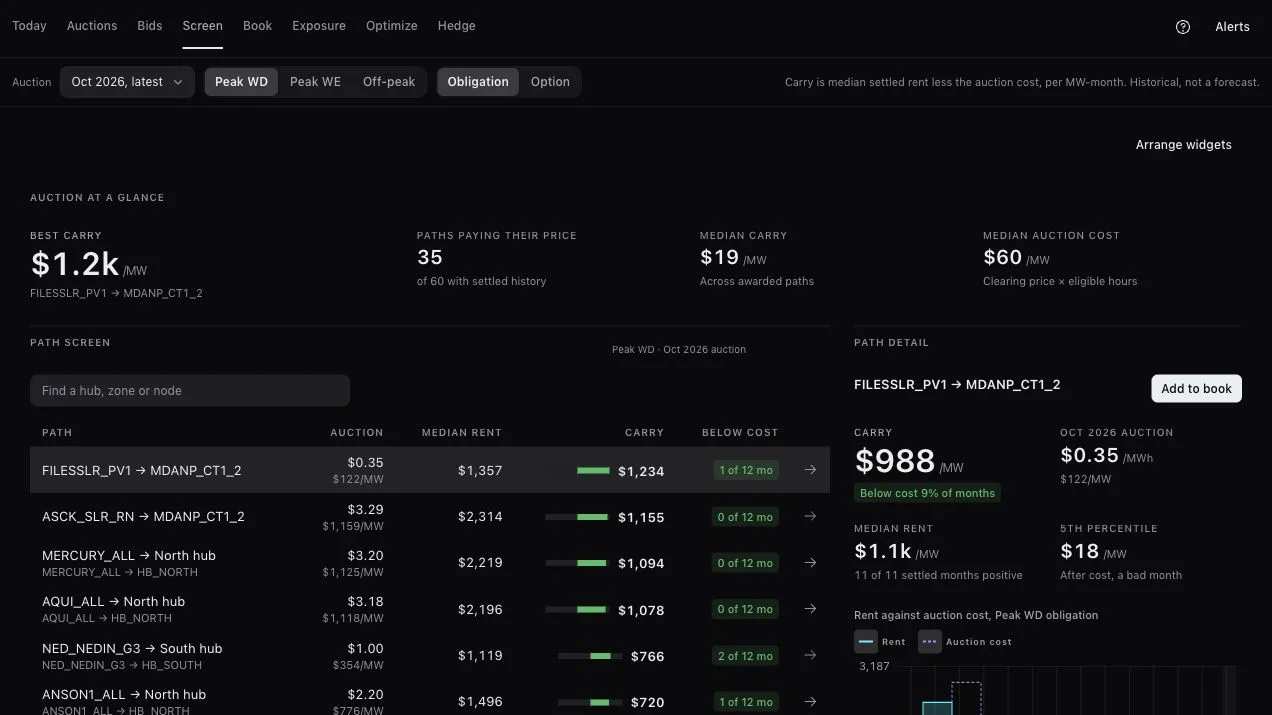
Transmission rights · CRR/FTR

Screen source-to-sink paths, compare auction prices with historical congestion value, and inspect your book’s constraint exposure.

ERCOT transmission rights screener with auction prices, historical carry and source-to-sink path detail

See what the agent could do for your team.

Start with a demo around a decision your team needs to make. We’ll walk through a relevant workflow, discuss the sources and permissions it needs, and scope a starting point together.

See pricing
  1. Scope

    One team, one question and the data it needs. We agree where it is processed and stored.

  2. Connect

    Sources connect one at a time, inside the boundary you agreed, each with an owner.

  3. Invite

    Single sign-on, roles and who can see which layers, then the team itself.

  4. Expand

    More teams, more sources and recurring reports once the first question has proved useful.