Investment-grade alerting on the live grid.
Tell Ask the Grid what to watch, and it emails you the moment it happens.
Define the condition that matters to your desk or your asset — a price on a node, reserve headroom across the ISO, a forecast pulling away, an event near your plant — and watch the grid evolve in real time, with the market context already attached to every alert that actually fires.
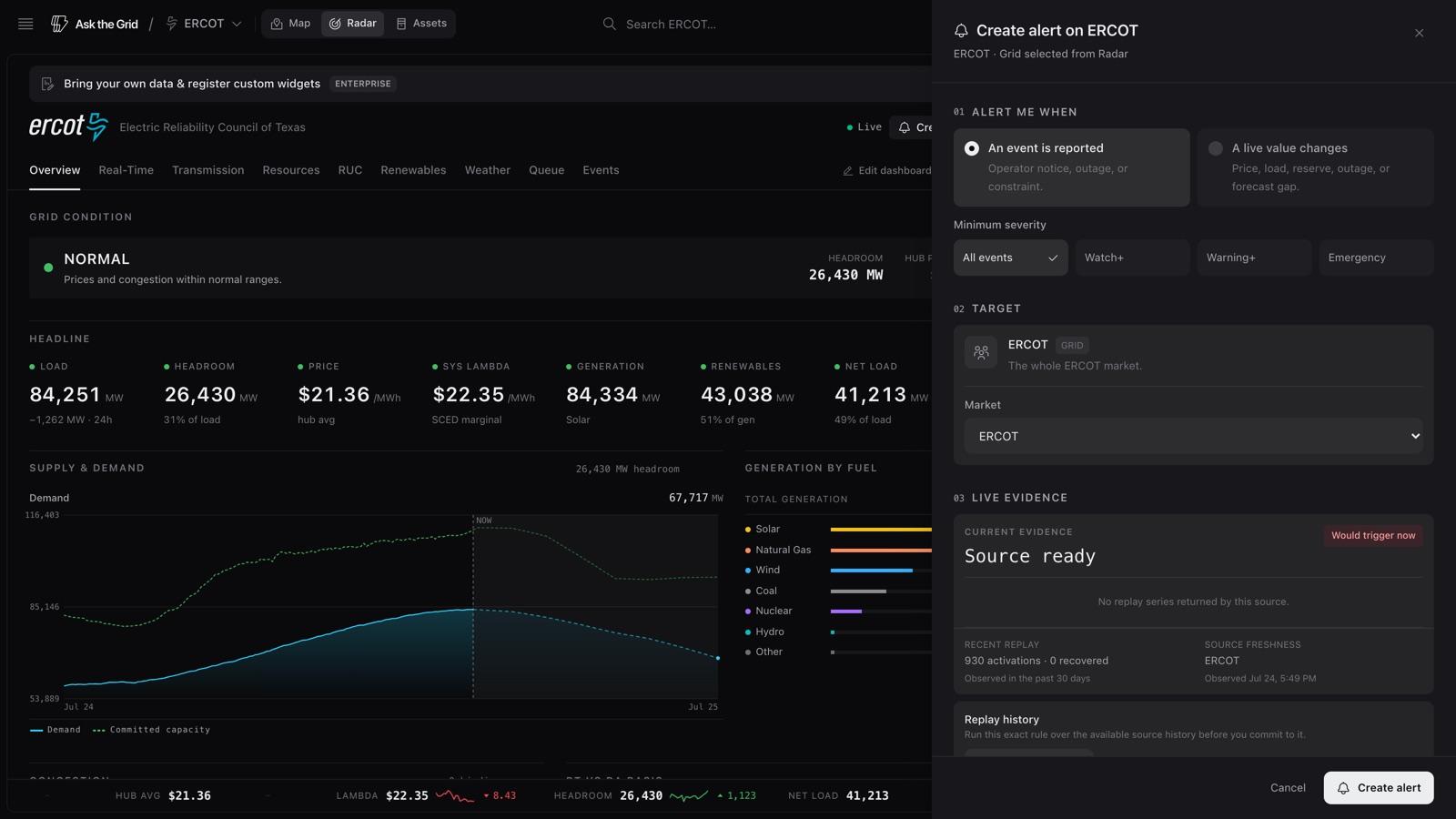
Pick what to watch
A single node or asset, an area drawn on the map, or the whole ISO.
Set the line it crosses
A price level, a percent move, a break against a moving average, or a published grid event.
Get told, with the evidence
Email carrying the reading, the arithmetic behind it, and a link to where it happened.
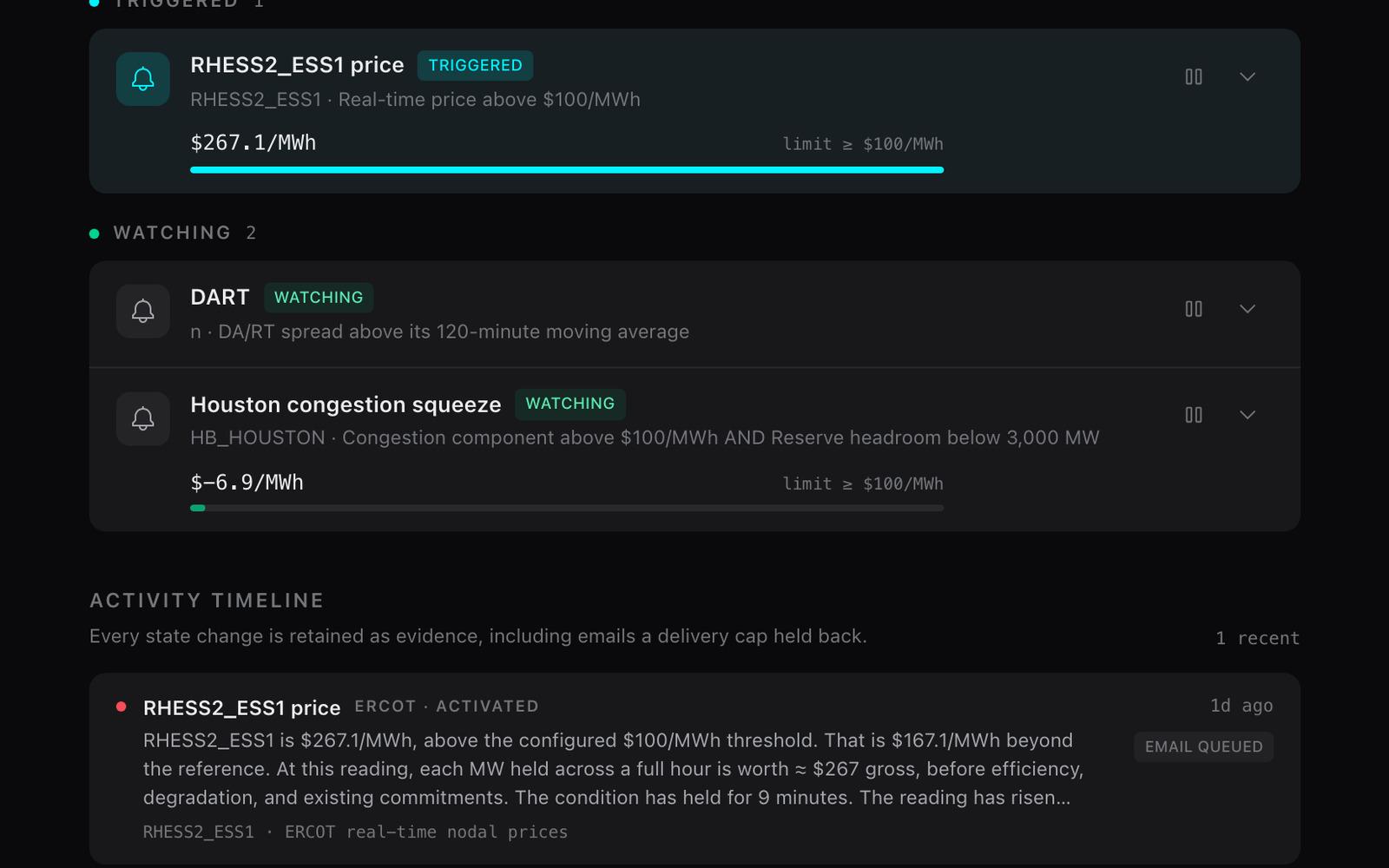
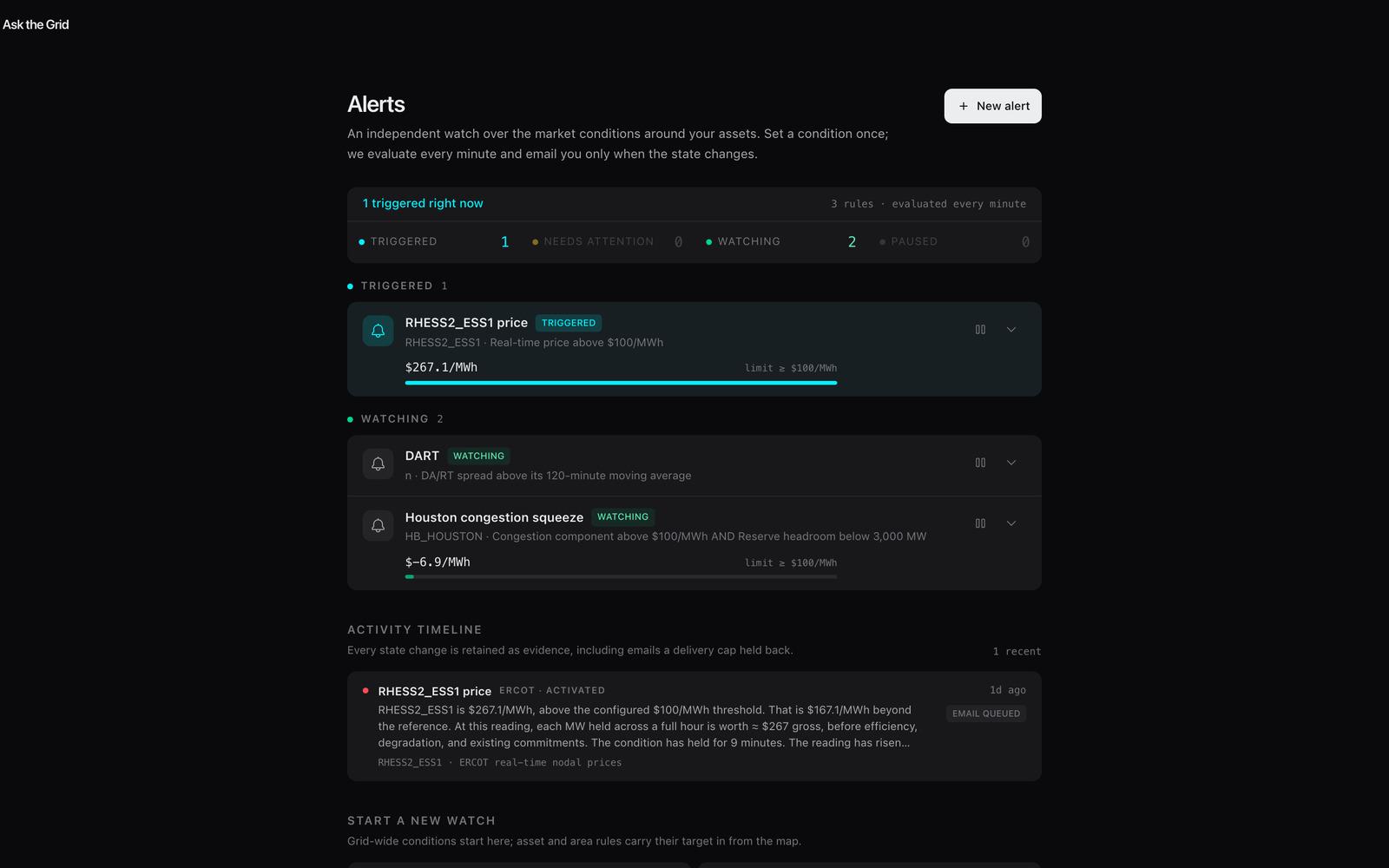
Not a mockup. This is a rule firing.
When a rule fires, it arrives with the situation attached — pinned to where it happened on the grid, and recorded in a triage view that tracks every occurrence and delivery.
How a rule is built.
A rule is a short pipeline of explicit decisions. Each one draws from a fixed, typed vocabulary — no free-text guessing — so what a rule watches, and what makes it fire, is legible end to end.
One rule · five decisions · every one inspectable
- 01scope
Scope
- asset · area · grid
- 02trigger
Trigger
- grid_event · radar_threshold
- 03condition
Metric & condition
- metric · operator · test
- 04severity
Severity
- info → emergency
- 05delivery
Delivery
- email · tracked send
What each of the five steps draws from5
Scope
Name what you are watching. A single asset or settlement point, an area drawn on the map with a radius, or the grid as a whole.
- asset — one node, unit, or plant
- area — a dropped pin with a radius, or a lassoed boundary
- grid — the whole ISO
Trigger
Choose what kind of change you are listening for: a published grid event, or a threshold on a live measured signal.
- grid_event — notices, advisories, emergencies
- radar_threshold — a measured value crossing a line
Metric & condition
For a value trigger, pick the metric, the direction, and how the line is tested — a fixed level, a percent move over a lookback, or a break against a moving average.
- metric — real-time price, load, reserve headroom, outages, forecast divergence
- operator — above or below
- condition — threshold · percent_change · moving_average
Severity
Set the severities that count. Event rules fire on the levels you accept; every occurrence carries its severity so you can triage on arrival.
- info
- watch
- warning
- emergency
Delivery
The rule evaluates against live data, records each occurrence and transition, and delivers to any destination you have saved — email, SMS, Slack, or Microsoft Teams — with a tracked send status per destination.
- occurrences — activated · recovered · event observed
- delivery — pending · sending · sent · failed
- destinations — email · SMS · Slack · Teams, reusable across every rule
Rules a desk or operator would build.
Every row below is a real, buildable rule — a live metric, a scope, a condition, and a severity. Take any of them straight into your account and adjust the numbers to your book.
Eight rules, with scope, trigger, condition, and severity8
| Rule | Scope | Trigger | Condition | Severity | Add |
|---|---|---|---|---|---|
| West-hub price ceilingTrading desk | node · HB_WEST | radar_threshold | Real-time price above $250/MWh | WARNING | Add to account |
| Houston hub momentumTrading desk | node · HB_HOUSTON | radar_threshold | Real-time price up more than 40% over 60 min | WATCH | Add to account |
| Node breaks its averageTrading desk | node · my settlement point | radar_threshold | Real-time price above its 60-min moving average | INFO | Add to account |
| Reserve headroom floorAsset operator | grid · ERCOT | radar_threshold | Reserve headroom below 3,000 MW | WARNING | Add to account |
| System load ceilingAsset operator | grid · ERCOT | radar_threshold | System load above 75,000 MW | WATCH | Add to account |
| Outage step-changeAsset operator | grid · ERCOT | radar_threshold | Reported outages above 10,000 MW | WARNING | Add to account |
| Forecast is divergingAsset operator | grid · ERCOT | radar_threshold | Load forecast divergence above 10% | WATCH | Add to account |
| Event near my plantAsset operator | area · 50 km around my asset | grid_event | New warning+ grid event inside the radius | WARNING | Add to account |
Situations, and the rule that covers each one.
Two desks watch the same live spine for different reasons. Each situation below is followed by the rule that answers it, written in the builder’s own vocabulary, with the markets where that exact rule is executable today.
The move, the instant it happens — on the node you actually trade.
Price, congestion, and spread behavior on specific settlement points and assets. Set the level, the percent move, or the break against a rolling average, and get told with the market state attached.
The grid closing in on your plant — reserves, outages, and the forecast.
Reserve headroom, system load, reported outages, and forecast divergence for the grid your asset lives on — plus event alerts inside a fixed radius around a dropped pin, or a boundary you lasso.
Trading desk — the situation, and the rule that covers it4
The spike only matters when the whole system is tight.
A number on one node fires on local noise as readily as on a real move. A second condition, AND-composed, holds the rule shut until the node and the system agree. Up to three can be combined, each watching a distinct signal; nodal conditions read your own target, system conditions read the market.
- scope · asset — one settlement point
- when · real-time price above $250/MWh
- and · reserve headroom below 3,000 MW, grid-wide
markets · ERCOT · MISO
The twenty settlement points you actually trade, in one rule.
Multi-select the nodes on the map and freeze that selection into the rule. Any member can activate it and each one carries its own evidence, so one rule replaces twenty near-identical ones you would otherwise keep in sync by hand.
- scope · area — up to 20 node members frozen from the map
- when · DA/RT spread above $50/MWh at any member
markets · ERCOT · CAISO · SPP · MISO · ISONE
The node moved — but was it congestion, or the whole market?
The congestion component is the node's real-time price minus the SCED system lambda. Watching it directly separates a local binding constraint from a system-wide price move, instead of reconstructing the difference after the interval settles.
- scope · asset — one settlement point
- when · congestion component above $50/MWh
markets · ERCOT
You do not know the right number yet.
Before arming a rule, replay the draft over up to 30 days of the same source history, through the same arithmetic and the same confirmation state machine that scheduled evaluation uses. You get how many times it would have activated, how long each episode ran, and the peak reading each one hit — then you set the level and the hold.
- draft · any value rule, unsaved
- replay · up to 30 days of source history
- hold · confirm after 1–1,440 minutes (up to 24 hours), or immediately
markets · Wherever a value rule is executable
Asset operator — the situation, and the rule that covers it4
Only the notices that mean the operator is acting.
Take the whole market's event feed but keep the floor high. In ERCOT, an operations message naming an Energy Emergency Alert, EEA2 or EEA3, or a controlled outage is classified emergency. Conservation appeals and emergency-operations language sit one level below at warning, and watch, advisory, and manual-action language one level below that.
- scope · grid — the whole market
- when · a new grid event at Emergency
- choices · all events · watch+ · warning+ · emergency
markets · ERCOT
A notice that lands on the ground around your site.
Drop a pin on the site and freeze a radius around it. An event matches when a reported subject location or an attached shape falls inside that circle — or when the event's own polygon covers the pin. Revisions and cancellations arrive as their own transitions rather than as a silent edit to something you already read.
- scope · area — a pin and a 25 km radius, frozen from the map
- when · a new grid event inside the radius
- floor · warning and above
markets · ERCOT
The area you care about is not a circle.
Lasso the boundary on the map and the rule freezes that exact shape. An event matches when its reported location or attached shape falls inside your boundary, and also when the event's own polygon covers the area you drew — so a wide-area notice is not missed because none of its vertices happen to sit inside your line.
- scope · area — a boundary lassoed on the map
- when · a new grid event inside the boundary
- floor · all events
markets · ERCOT · NYISO
The condition sits on the line and oscillates all afternoon.
A confirmation hold makes the rule wait until the condition has actually held; a recovery hold makes it wait before it calls the episode over. A rolling 24-hour delivery cap bounds the notifications either way, per destination — and every trigger is still recorded in the rule's activity, even when a delivery is suppressed.
- confirm · hold the condition 1–1,440 minutes first
- recover · require 1–1,440 minutes back to normal
- cap · 1–100 notifications per destination per rolling 24 hours, 1 by default
markets · Wherever a value rule is executable
Watch the grid evolve — then get told when it does.
Alerts run on the same live spine as the map, the radar, and grid events. The condition you set is watched against the surface you can already see.
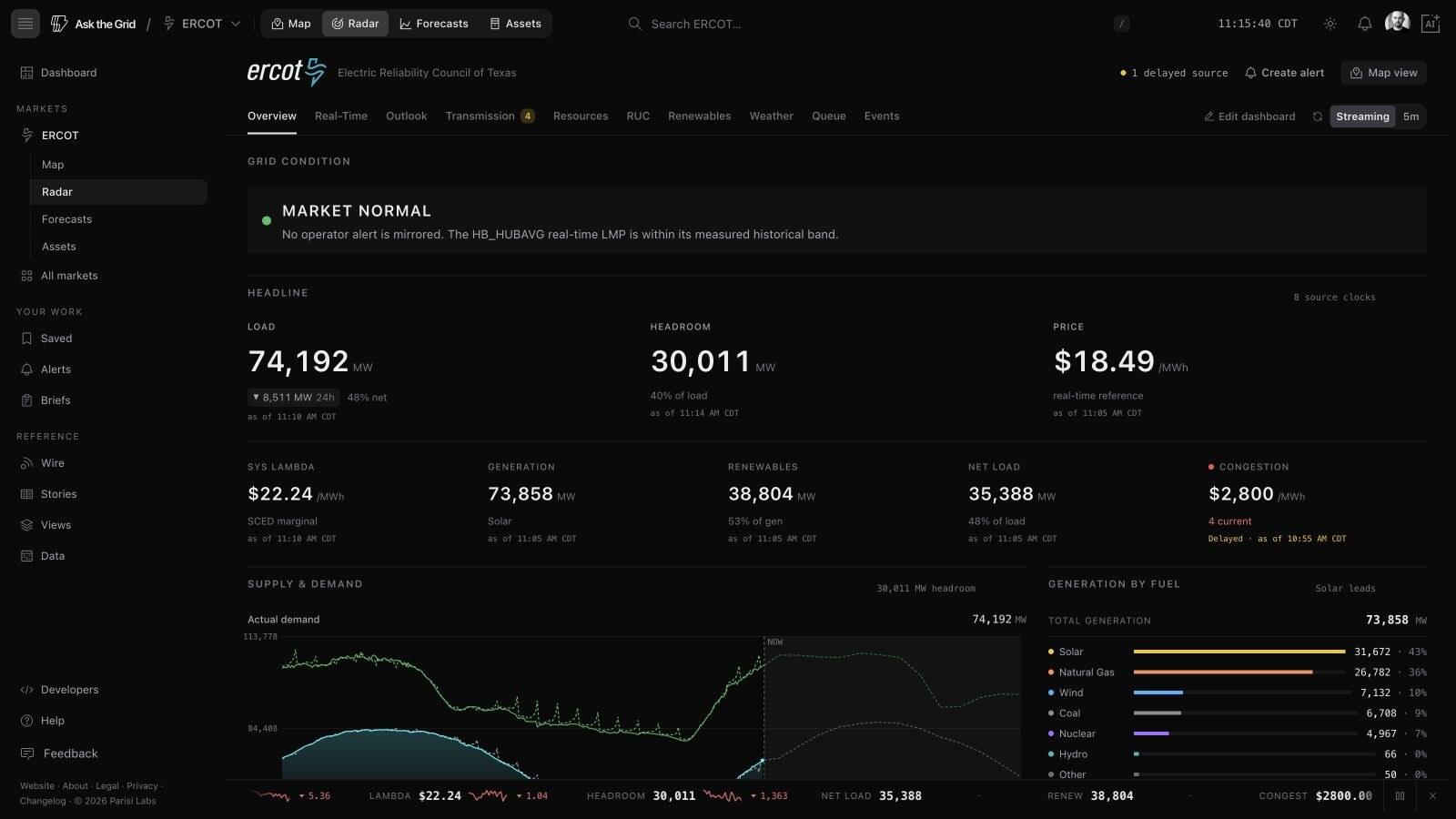
The live map
Prices, outages, and weather on the physical grid — the surface your scope is drawn on.
See the map 02Grid events
ISO notices and events land on the map. Any of them can be the trigger for an alert.
See events 03The radar
The measured signals — price, load, reserves, outages — an alert's thresholds are tested against.
See the radarFrom condition met to your inbox.
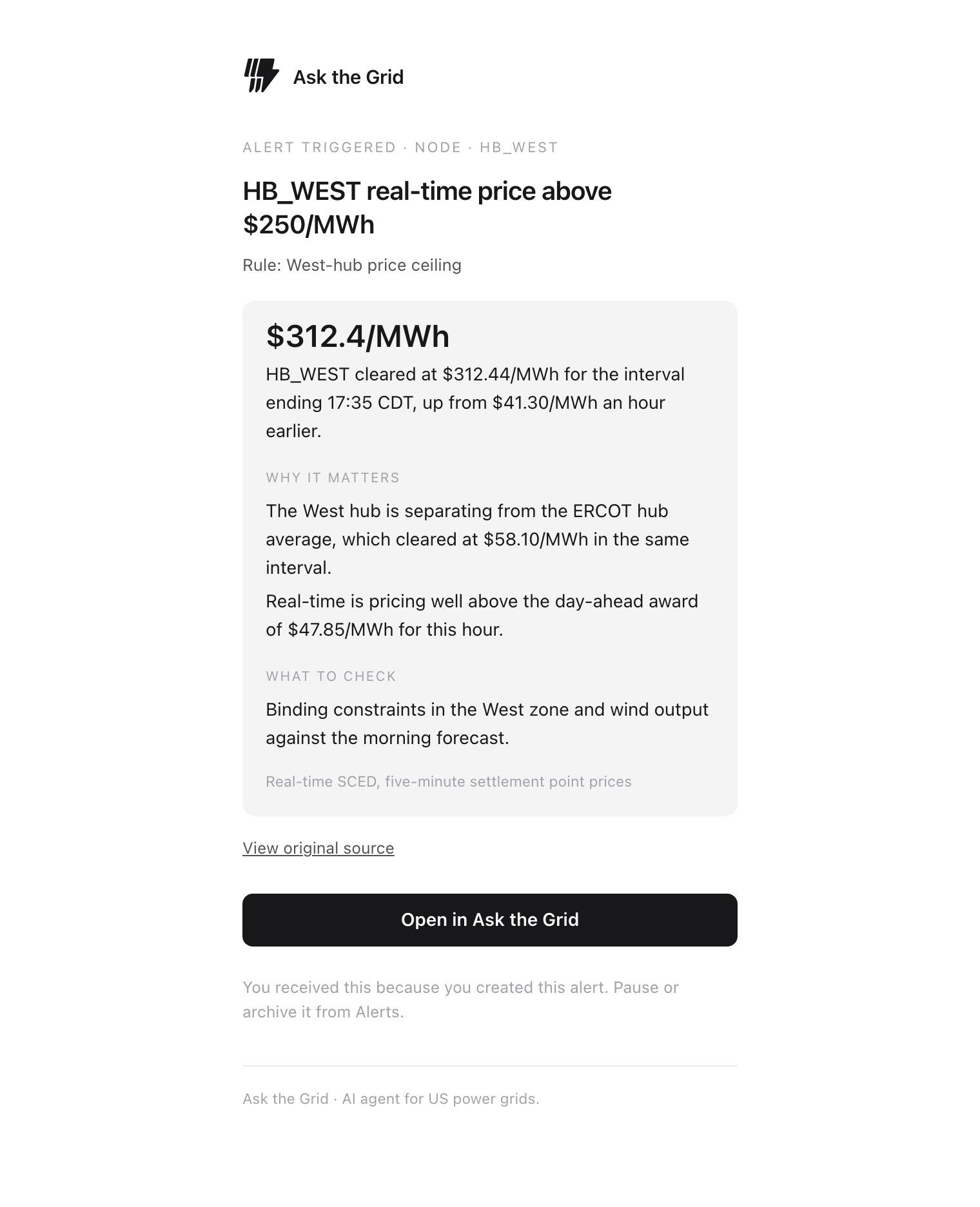
The mail carries the reasoning, not just the trigger.
It goes to the account address on the rule. A value rule’s mail carries the reading and the arithmetic behind it; an event rule’s carries the operator’s own title and summary, unrewritten.
Every field the alert email carries9
[Alert] followed by what happened — readable without opening it.
Alert triggered, the scope it fired on, and the rule's own name.
The value that crossed, formatted with its unit.
The reading stated against your configured reference — a threshold, a percent move over the lookback, or the trailing average it crossed.
Deterministic arithmetic over the same observations: how far past the reference, how long the condition has held, which direction it moved over the last 15 minutes, and any combined condition that also matched.
The concrete next look, written per metric — not a generic prompt.
How old the source reading was and how many observations it was evaluated from.
On an event alert, a link to the operator's own record when the source publishes one.
A deep link to the target on the map when the rule names a single one; otherwise to the ISO radar.
Define the condition. We’ll watch the grid.
Draw your scope, set a rule, and let it run against live data — or explore the rest of the platform first. No demo call, no gated PDF.